Turn the questions you cannot answer into pipeline
A visitor who asks a question your site cannot answer is the warmest lead you will get all week. Matter Chat catches that moment instead of letting it close the tab.
No credit card. Live in an afternoon.

Where should they reach you?
- Captured at intent
- The moment a visitor hits the edge of what your site answers.
- With the question
- You get their exact wording, not a blank 'requested a demo'.
- Delivered, not parked
- Emailed and posted to a webhook as it happens.
- One field
- An email address. Every extra field costs you completions.

Your best leads leave without saying anything
Someone reads three pages, forms a specific question, cannot find the answer, and leaves. Nothing in your analytics records that as an event, so the loss is invisible. It is also the highest-intent moment on your entire site.
- Traffic is healthy but the contact form barely moves
- Sales has no idea what a lead wanted before the call
- Your contact form asks for a name and a message and nothing else useful
- The questions that would qualify a buyer are never recorded anywhere
Where the leads actually come from
Not a popup on a timer. The assistant answers everything it can for free, and asks for a way to reply only when it has genuinely run out of answer — which is the moment a visitor has just told you exactly what they want.
Triggered by a refusal
The prompt appears when the assistant cannot help, not on a countdown or an exit-intent guess.
The question comes attached
Sales opens with what the visitor asked, in their words, instead of starting discovery from zero.
Email delivery
Every capture lands in an inbox the moment it happens, so somebody sees it while it is still warm.
Webhook to anywhere
Posted as JSON to any endpoint — your CRM directly, or an automation tool that maps it onto your schema.
Qualification for free
A question about SSO and data residency tells you more about the buyer than any dropdown would.
Every refusal recorded
Even visitors who leave no email tell you what your site failed to answer.
Capture at the moment of intent, not at the end of a form
The bot offers a human at exactly the point a visitor hits the edge of what your content covers. That is a far better moment to ask for an email than a footer form, because the visitor has just demonstrated what they want.
- Ask when it matters
- The prompt appears at the natural end of an unanswered question, not on a timer or an exit popup.
- The question comes with the lead
- Their exact phrasing travels with the capture, so the first call starts from what they asked.
- Full transcript attached
- Sales can read what the visitor already tried before the first call.
- No forced gate
- Answers stay free. Only the handover asks for a way to reply.
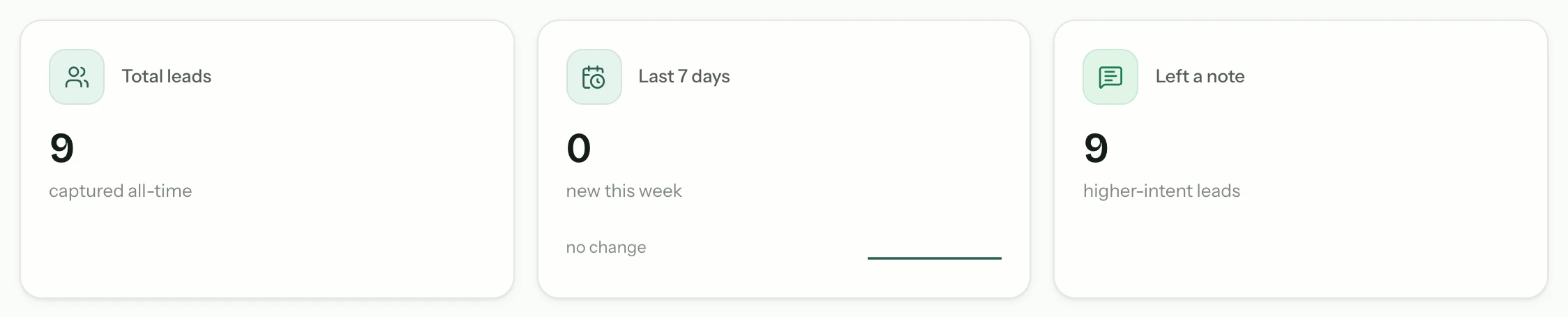
Routed where your team already works
A lead that sits in a dashboard nobody opens is not a lead. Matter Chat pushes captures into the systems you already run your pipeline in.
- Delivered, not parked
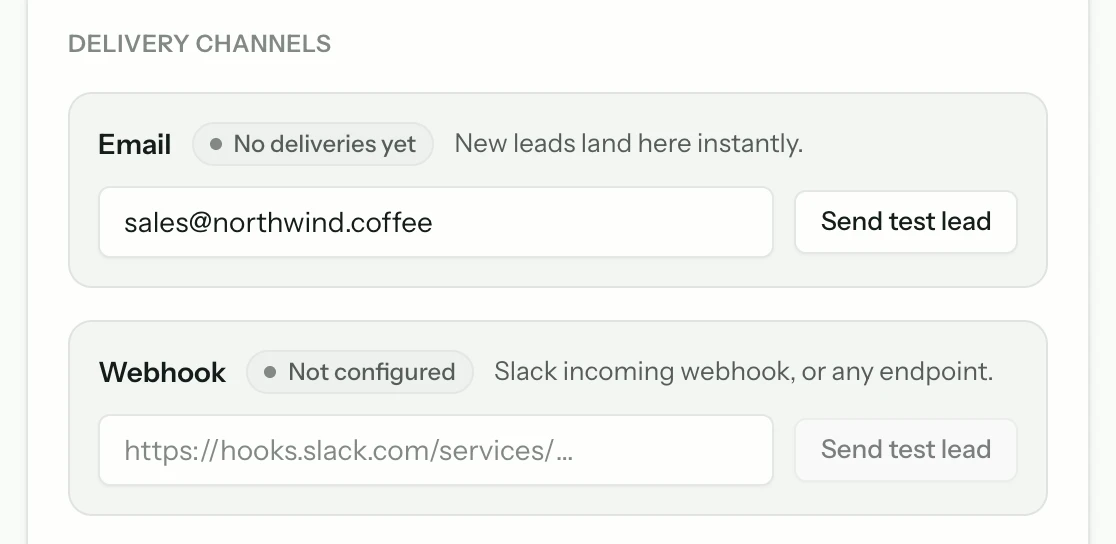
- Every capture is posted to a webhook and emailed the moment it happens, so it reaches your CRM or your inbox without anyone checking a dashboard.
- Slack notifications
- On Growth and above, new captures arrive in the channel your team watches, with the question in the message.
- Exportable inbox
- Everything is also a tidy list you can filter and export.
Qualification you did not have to ask for
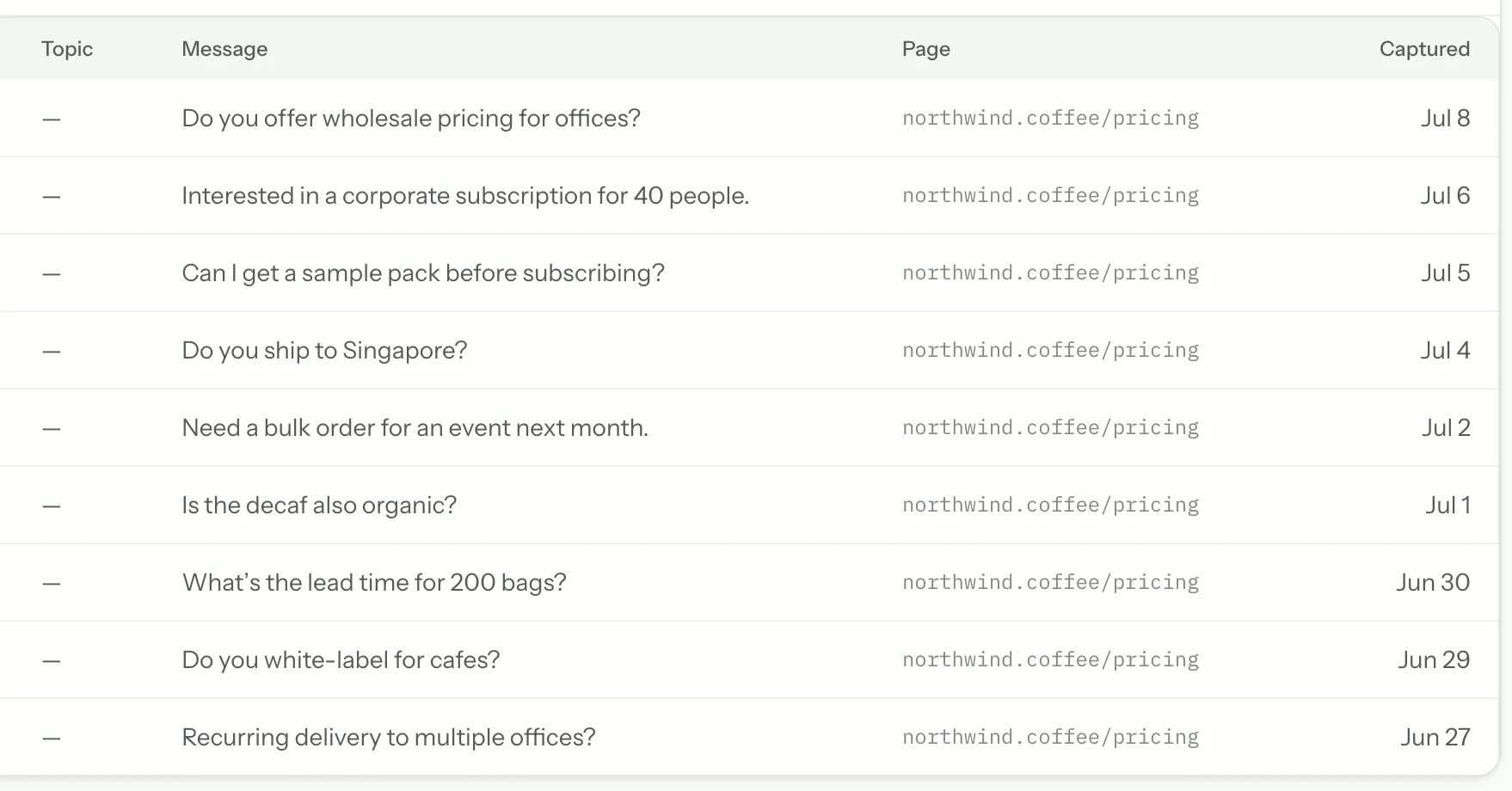
Because the lead arrives attached to a real question, you can tell an evaluator from a browser without a single qualifying field. Someone asking about SSO and data residency is not the same visitor as someone asking your opening hours, and now you can see which is which.
The refusal is the lead
A bot that answers everything captures nothing, because it never reaches the edge of what you have published. The moment it says “I don't have that” is the moment a visitor has told you exactly what they want and cannot get — which is the only thing that makes a contact detail worth asking for.
- It answers everything it can, for free
- It asks only after it has genuinely run out
- One field, because you already have the question
- Refusals with no email still count as content gaps

Turning an unanswered question into pipeline
Four settings, none of which need a developer. The defaults are already sensible; these are the decisions worth making deliberately.
- 1
Decide when it offers a human
A refusal is the natural trigger — the assistant has reached the edge of its knowledge and the visitor still needs something.
- 2
Ask for as little as possible
One field. You already have the valuable part, which is the question. Each extra field is one more reason to abandon.
- 3
Point it somewhere real
Set both the email address and the webhook. Email gets a person to look; the webhook puts the record where your pipeline lives.
- 4
Vary it by availability
Offer live handover during working hours and capture contact details outside them, so the offer is always one you can keep.
Questions people ask before they start
Short answers. If yours is not here, the assistant on this page will try it — and tell you honestly if it cannot.
Does asking for an email hurt the support experience?
It should not, and it does not have to. The bot answers everything it can for free and only asks for a way to reply when it has genuinely reached the end of what it knows. Gating answers behind a form is the failure mode; offering to follow up is not.
Can captured leads reach our CRM?
Yes. HubSpot connects directly on Growth and up: each capture becomes a contact, with the message as a note — the HubSpot integration page shows exactly what lands on the timeline. Everything else is by webhook — each capture is posted as JSON to an endpoint you choose, which covers any CRM that accepts an incoming webhook directly, and the rest through an automation tool like Zapier or Make. Leads are also emailed as they arrive and exportable as CSV. There is no one-click Salesforce app today — we would rather say so than have you discover it after signing up.
Can I see which pages produce the most leads?
Yes. Captures are recorded with the conversation, so you can see the question behind each one and which part of your content the visitor was reading when they hit the gap.
Keep reading
All solutions



From the blog
All posts- EvaluatingWhy answer rate is a vendor metric, not a buyer metricAnswer rate is trivially improved by being less careful. Here is what the number actually measures — and what to read instead when you evaluate vendors.Read
- EvaluatingWhat supporting Arabic properly asks of an AI chat widgetWhat correct Arabic support in an AI chat widget involves — right-to-left layout, mixed-direction text, reply language, citations and search — how Matter Chat handles each, where it still falls short, and a live Arabic demo store to test it on.Read
- EvaluatingChatbase alternatives for teams that need cited answers (2026)Matter Chat, Chatbase, Intercom Fin, Tidio Lyro, DocsBot and Chatling compared on citations, refusal behaviour, handoff and what the entry price meters. Checked on the vendors' own pages, with the test to run on all six.Read




Answer honestly. Capture the rest.
Point Matter Chat at your site and see what it can — and can't — answer. It's honest about both.
No credit card. 2 minute setup.
Every answer cites the source it came from. When there isn't one, it says so — and hands the visitor to you.


Installs on the tools you already run.