Most “we support Arabic” claims mean a translated Send button and a panel flipped with one line of CSS. An Arabic-speaking visitor sees through it within a message: a question mark at the wrong end of the line, a citation marker that jumps to the start of the sentence, an English reply to an Arabic question, a product name that scrambles the words around it.
This post goes through what correct looks like, how Matter Chat handles each part, and where it does not yet. The screenshots come from LUMIÈRE, a demonstration shop of ours rebuilt in Arabic on WordPress. Every exchange shown was typed into the live widget on 14 September 2026, and the store is linked at the end so you can check them.
Layout is the easy tenth
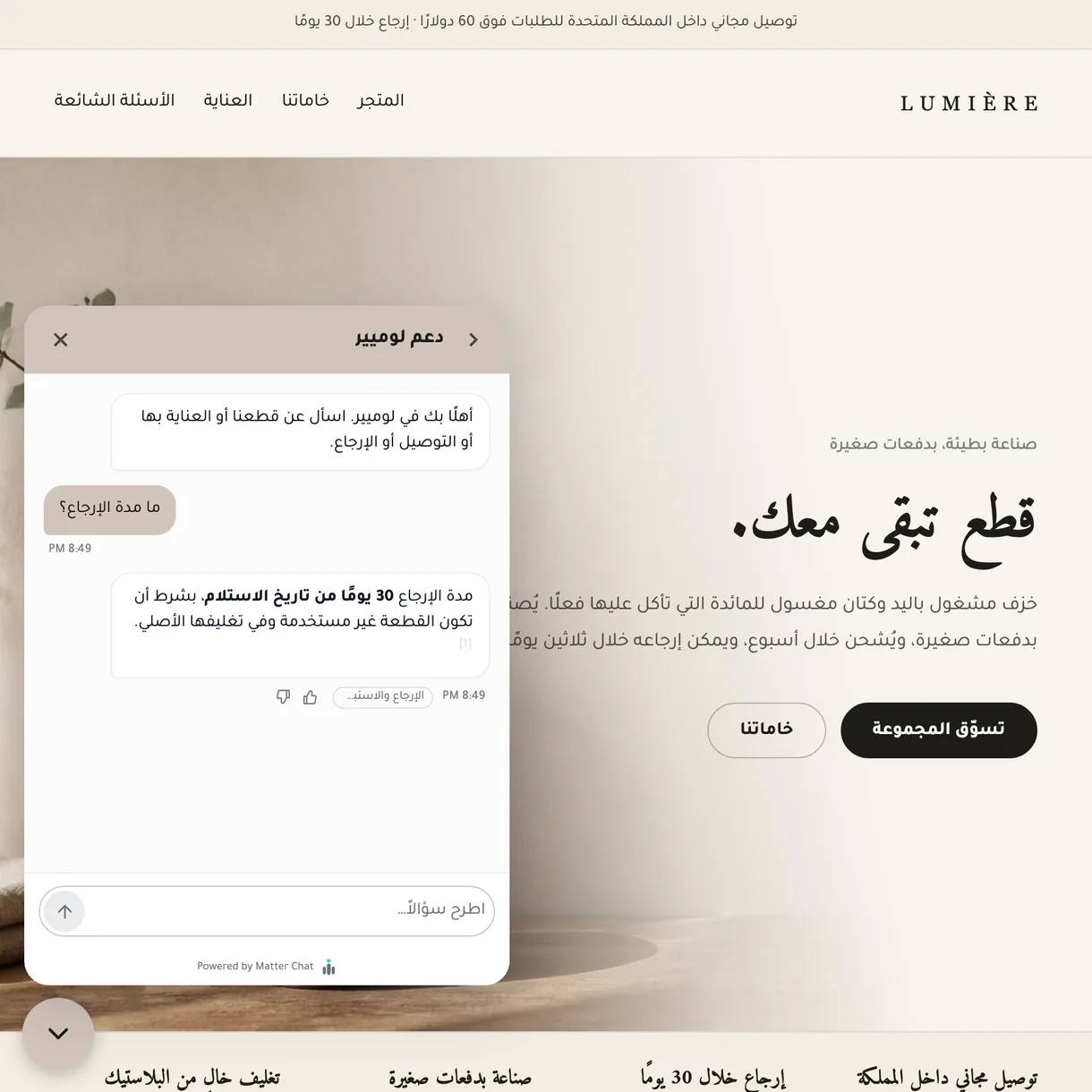
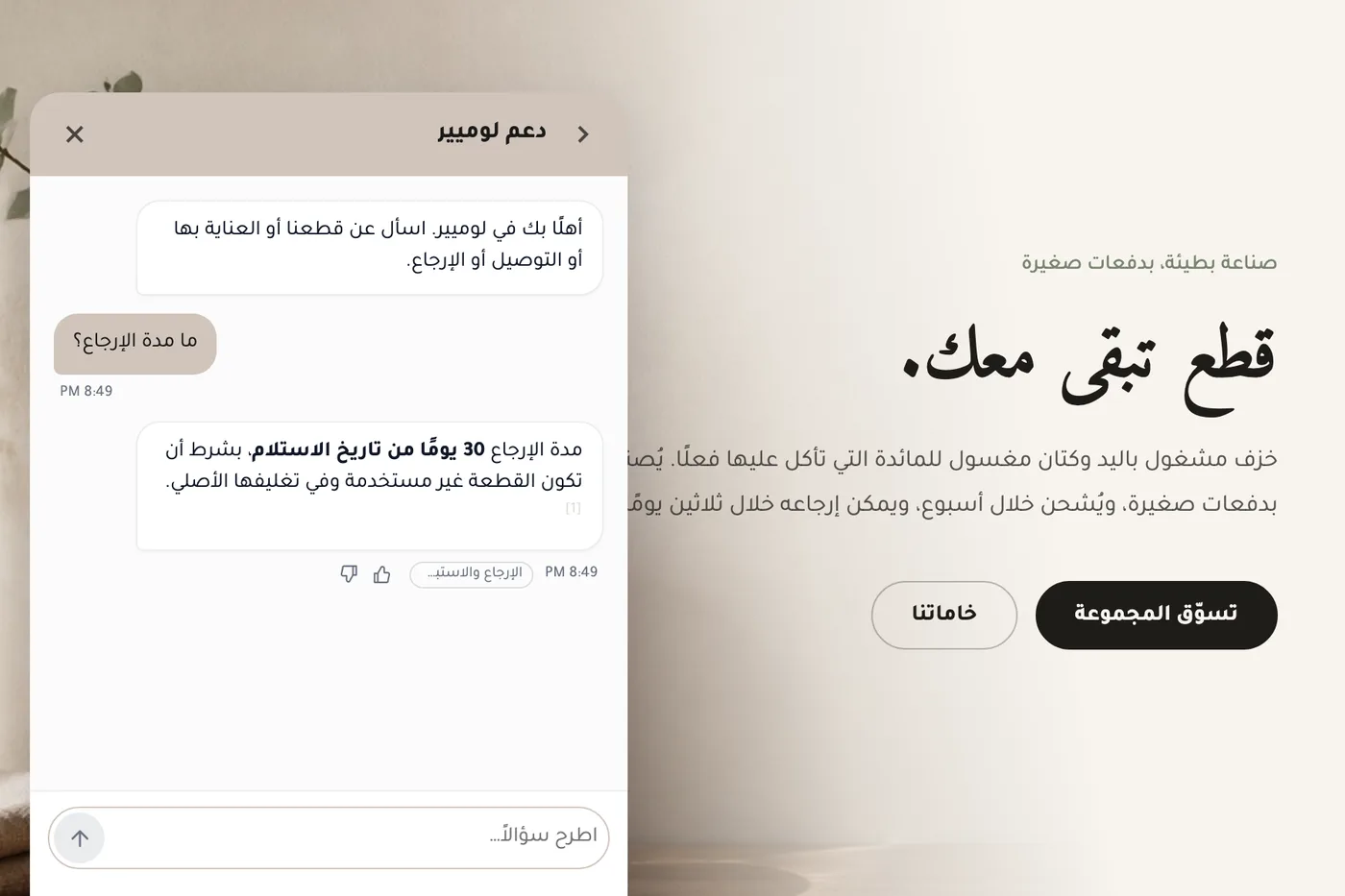
Set the widget to Arabic and the panel is laid out right to left. The back arrow, the chevrons and the slide-in animations mirror with it, and the Send arrow sits on the left, where an Arabic line ends. List bullets are drawn by the widget rather than the browser, because the browser’s own marker left a gap of about 25 pixels beside Arabic text.
Layout is also where a widget passes a screenshot review and still fails a real visitor. The boxes can all face the right way while the text inside them is wrong, which is why the rest of this post is about text.
Every paragraph picks its own direction
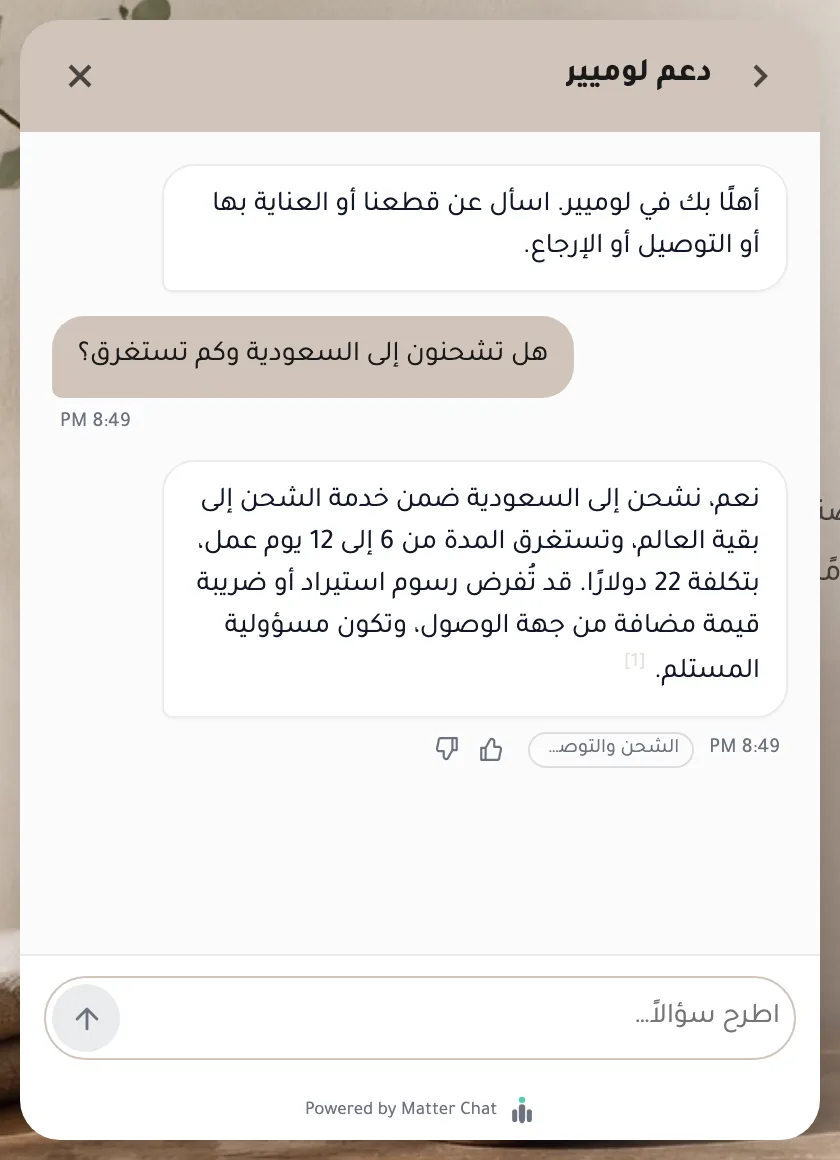
Real answers are rarely pure Arabic. They carry prices, order numbers, English product names and links. A panel’s direction is set once, from the bot’s configured language — so an English-configured bot answering an Arabic question used to give that answer a left-to-right base, and the full stop and question mark landed on the wrong end. Now every paragraph, list item and message bubble works out its own direction from its first letter. An Arabic bullet and an English bullet in the same reply each lay out correctly.
- Citation markers like [1] are isolated from the text around them, so they stay at the end of the Arabic sentence they belong to instead of drifting to its start.
- Source names sit in their own isolated chips on the row under the answer, so a Latin page title cannot reorder an Arabic sentence.
- Opening hours and day names are written in the widget’s language.
The reply follows the visitor, not the settings
The widget’s language setting controls menus and buttons. It does not decide the language of answers: the visitor’s most recent message does. The instruction the model gets is explicit — reply in the language of the latest message, not of earlier turns, not of its own previous replies, and not of the knowledge it is answering from. If the visitor switches language mid-conversation, the reply switches on that same turn. That is what makes multilingual support work on a site whose pages are in one language.
Which script a message is in is worked out in code before the model sees it, across the full Arabic Unicode ranges, including the extra letters Persian and Urdu use. Links, email addresses and code are stripped first, so “كم سعر Matter Chat Growth؟” counts as Arabic even though half its words are Latin. Arabic typed in Latin letters — Arabizi, or Darija the way it is actually texted — gets a reply in Latin letters, not converted into a script the visitor did not choose.
Answers still have to come from the page
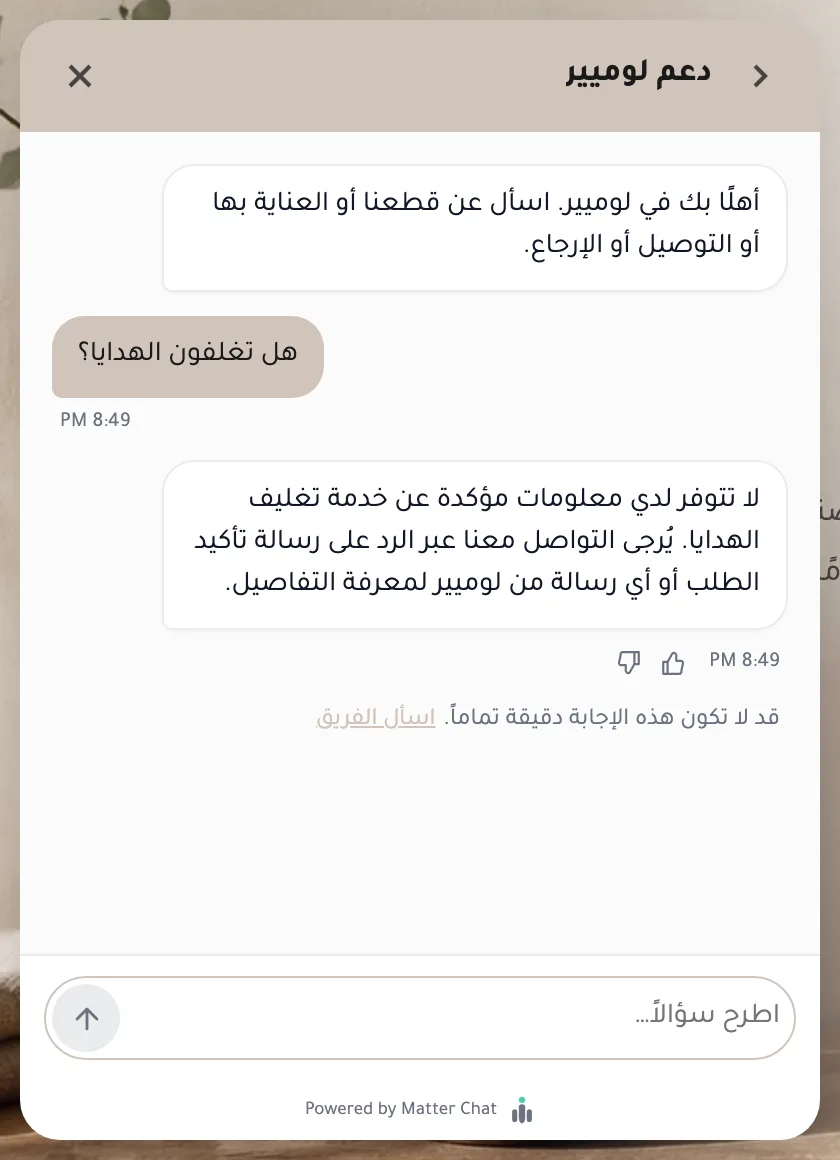
A fluent Arabic answer is worth nothing if the fact in it is invented. The bar is the same as in English: answer from the site’s content, show the citation, and decline what the content does not cover. Two exchanges from the Arabic store show both halves.
Where search is weaker, and why we say so
This is the part most vendors leave out. Matter Chat finds the passages behind an answer two ways at once — a semantic search over embeddings and a keyword search — and merges the results. The keyword index is configured for English. It does no Arabic stemming and no Arabic normalisation: it does not treat أ, إ and ا as one letter, strip diacritics, or fold ة into ه. For Arabic, the semantic search does the work.
On a site the size of a typical shop that holds up: every answerable question in this post found its passage. It is a real limitation on a large Arabic knowledge base where the exact word matters — a product code, a rare term spelled two ways. The help-article search inside the widget uses the keyword index alone, so it is weaker in Arabic than in English. If your site is large and mostly Arabic, test exactly that before you buy anything, including us.
On your team’s side
- The widget language picker offers العربية, and its hint says plainly that it changes menus and buttons only.
- On plans with inbox translation, an Arabic conversation reaches your team in its own language, and a reply written in English can be translated before it is sent — with a back-translation so the agent sees what the customer will read, and names, numbers and links left as written.
- With AI dictation, spoken Arabic is transcribed into Arabic script, Latin brand names inside Arabic sentences are kept, and Arabic-Indic digits are left alone.
What we do not do yet
- Only Arabic switches the panel to right to left. Hebrew, Persian and Urdu visitors get replies in their language inside a left-to-right panel.
- The launcher button does not move to the left on its own for an Arabic widget. You choose its side in the widget settings; the demo store’s was set by hand.
- A few small labels still use letter-spacing, which pulls Arabic letters apart where those labels show Arabic text.
- Message timestamps, as above.
- The notification emails your team receives are laid out left to right.
A test you can run on any widget
- Ask a question whose answer contains a number: “ما مدة الإرجاع؟” (What is your return window?). The full stop should sit at the left end of the line, and the citation marker at the end of the sentence it belongs to.
- Ask an Arabic question with an English product name inside it. The words around the name should stay in order.
- Switch to English mid-conversation, then back to Arabic. Each reply should follow the message just before it, on that turn.
- Ask something the site does not cover. You want a decline and a way to reach a person, in Arabic — not a fluent paragraph with no source.
- Take one answer’s source and find the fact on it. If it is not there, the fluency was doing the work.
The Arabic LUMIÈRE store below is set up for exactly this; paste the questions in as they are. One thing to know first: its policies were loaded as text rather than crawled, so its sources are named rather than linked. For evaluating languages you do not read yourself, see evaluating multilingual support; for setting up a bot, the multilingual setup guide.