Make the documentation you already wrote findable
The problem is almost never that the answer is missing. It is that it is on page four of a search result nobody scrolled. Ask in plain language, get the passage, with the link.
No credit card. Nothing to migrate.

They asked
“How do I add another login?”
- Ask in their words
- 'An extra login' finds the page you titled 'Seats'.
- The passage, not the page
- The relevant part, quoted, with a link to the full article.
- Nothing to migrate
- It crawls what you already publish, wherever it lives.
- Gaps, ranked
- The questions your docs never answered, ordered by demand.

Good documentation, unusable search
Keyword search only works if the reader already knows your vocabulary. Customers do not call it a 'seat', they call it 'an extra login'. The article exists, matches nothing, and a support ticket gets filed about a documented feature.
- Tickets arrive about things the docs explain in full
- Search returns the changelog for almost every query
- Readers use their words for your features and find nothing
- Nobody knows which articles are missing, only that something is
What changes when documentation becomes answerable
Finding an answer usually means already knowing your vocabulary, your information architecture, and which of forty articles is the right one.
Meaning, not keywords
Matches on what a question means, so a paraphrase reaches the right passage even with no words in common.
Answers, not ten blue links
The relevant passage is quoted back, so nobody skims a three-thousand-word article for one line.
Always a citation
Every reply links its source, which sends readers into your documentation rather than away from it.
Current without a ritual
Scheduled re-crawls re-index only what changed, so a published edit reaches the assistant on its own.
The gap report
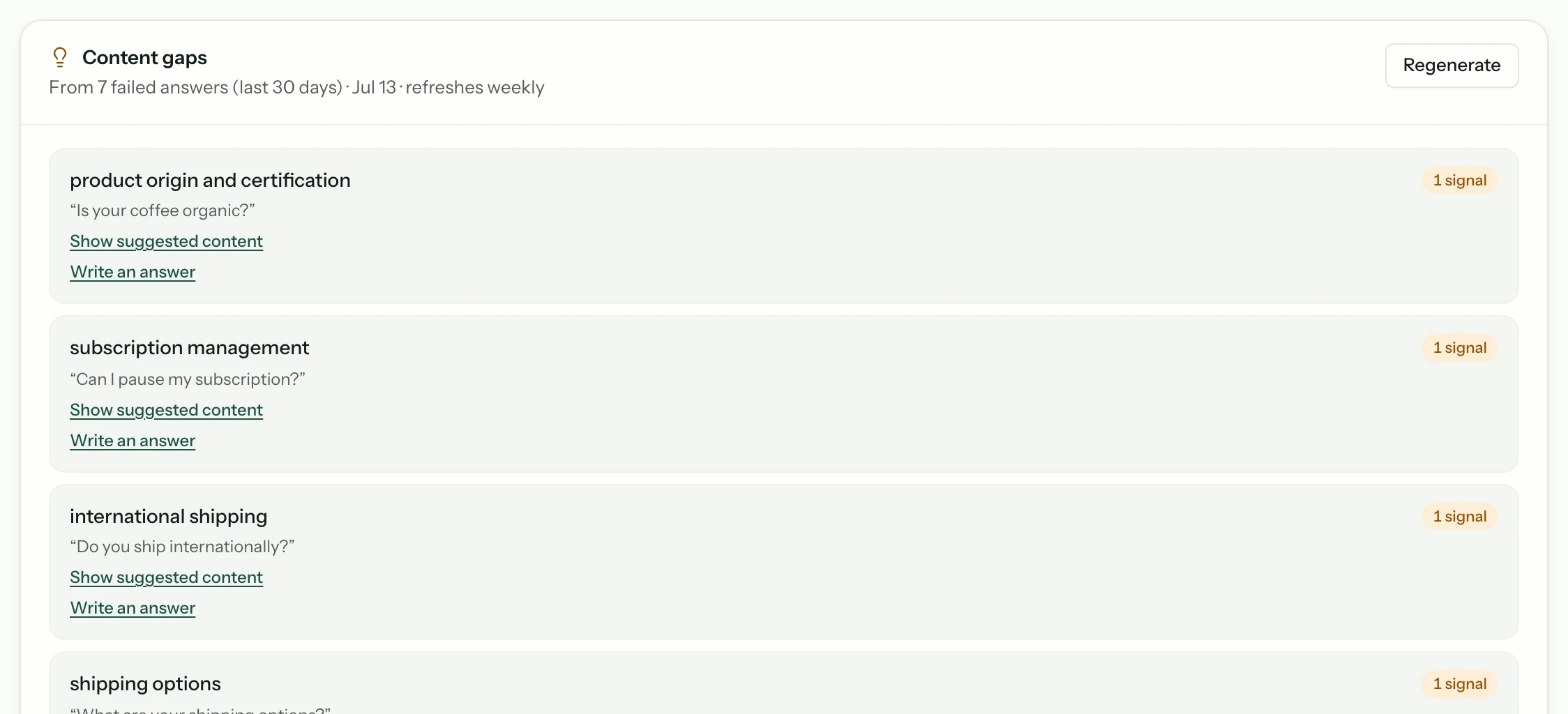
Every question your docs failed to answer is logged; on Growth and above they are grouped and ranked into a writing backlog.
Any language
Answers arrive in the language of the question, from content you maintain in one.
Ask in your words, not in ours
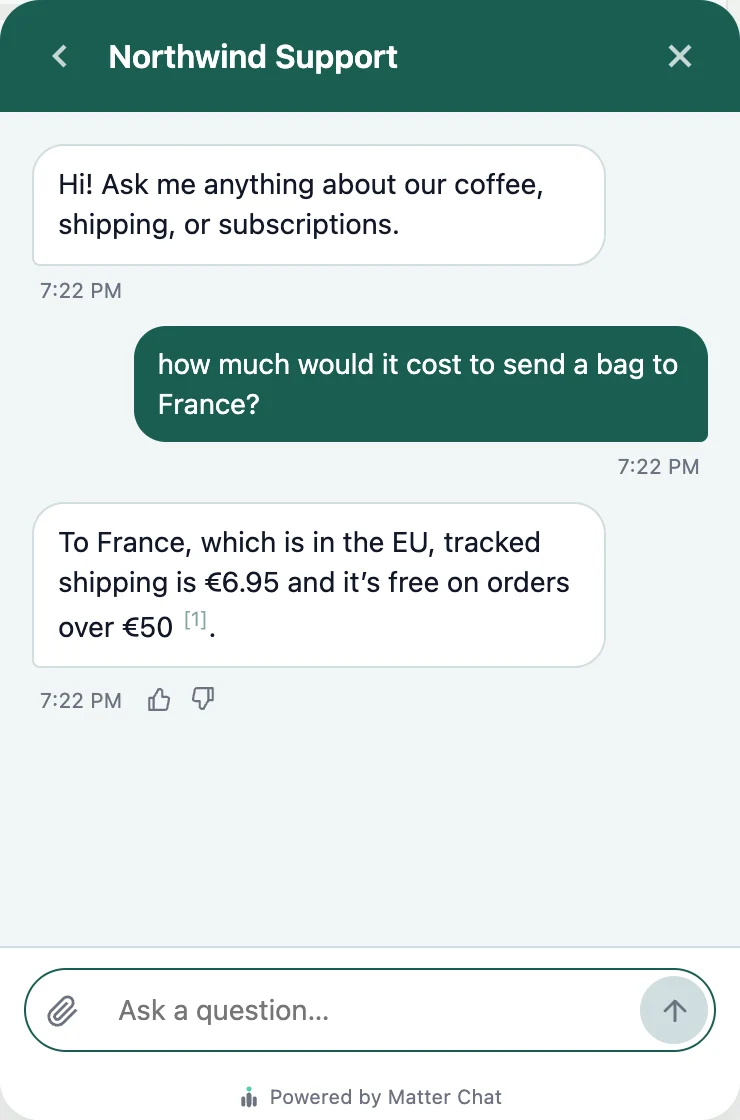
Matter Chat matches on meaning rather than on exact strings, so a question phrased in a customer's vocabulary still reaches the passage written in yours. The reply is the answer itself, with a link to the article it came from.
- Semantic matching
- 'How do I add another login' finds the page about seats.
- The passage, not the page
- The reader gets the paragraph that answers them, not a link to go hunting in.
- Always a citation
- Every answer links its source, so the reader can keep going in the real doc.
- Crawls what you already publish
- Point it at your help centre and docs site. There is nothing to migrate.
The gap report is the point
Every question your documentation does not answer is recorded, on every plan. On Growth and above they are grouped by demand as well, so instead of guessing what to write next you get a ranked list of what readers actually asked for and did not get.
- Ranked by real demand
- The most-asked missing answer sits at the top of the list.
- Phrased as they asked it
- You get the real wording, which is usually a better article title than the one you would have chosen.
Stays current without a maintenance ritual
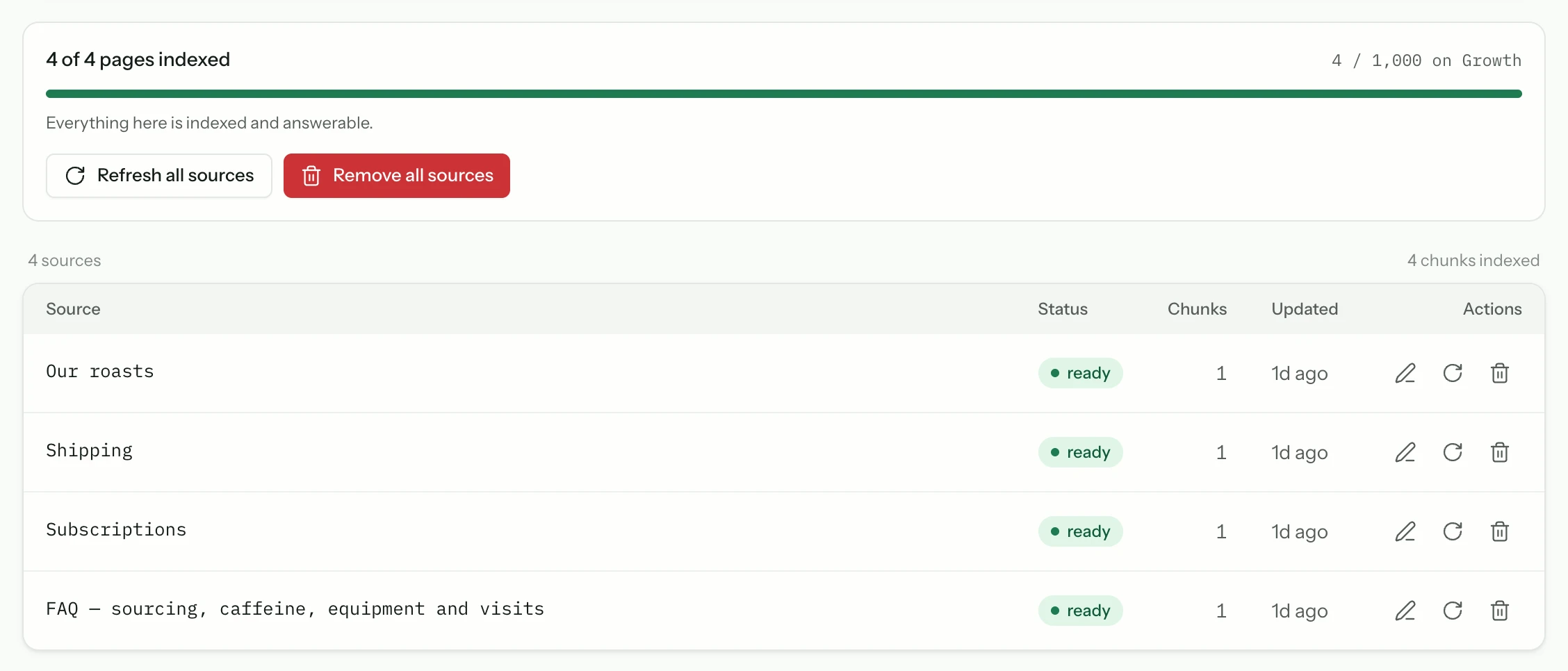
Documentation rots quietly. Matter Chat re-crawls on a schedule, so an edit you publish on Tuesday is answerable without anyone remembering to press a button.
A search box that fails beats an assistant that guesses
Documentation is the one place where a confident wrong answer does real damage: the reader believes it, acts on it, and files a ticket about something else entirely. So the retrieval either finds a passage in your content or the assistant says it does not have one.
- Answers come from your pages, not from the model's memory
- No matching passage means it says so, and offers a human
- Every claim carries the link a reader can check
- The refusal is recorded, and becomes the next thing to write
Which means coverage is the ceiling on quality. A thin help centre produces a bot that refuses often — correctly, and unhelpfully. The gap report is how that gets fixed.

The answer, in your words, with the link.
Shipping ↗“I don't have that in the documentation.” Then a human, if you offer one.
No source, no answerMaking an existing help centre answerable
No migration, no re-authoring, and no separate system to keep in sync. You are pointing a reader at content you already wrote.

- 1
Add your docs as a source
Point the crawler at your help centre and your marketing site. Anything not published on the web can be uploaded as a document instead.
- 2
Prune the noise
Tag archives, paginated listings and author pages dilute retrieval. Read the source list once and remove what is not an answer.
- 3
Test the vocabulary gap
Ask questions the way a customer would, not the way your docs are titled. That gap is exactly what this is meant to close.
- 4
Work the gap report
Write the top item, wait for the next crawl, and watch that question stop arriving. That loop is the whole operating model.
Before you point it at your docs
Short answers. If yours is not here, the assistant on this page will try it — and tell you honestly if it cannot.
Do I have to move my documentation anywhere?
No. Matter Chat crawls your published site — help centre, docs, marketing pages — wherever they live. Nothing needs to be exported, re-hosted, or rewritten in another format.
What about content behind a login?
The crawler reaches what is publicly published. Material behind authentication can be added as uploaded documents instead, so internal or gated content is still answerable.
How is this different from the search my docs platform ships with?
Built-in search matches words. This matches meaning and returns an answer rather than a list of ten links, then cites the article so the reader can verify it. The gap report is the part no search box gives you at all.
Keep reading
All solutions



From the blog
All posts- BuildingKnowledge ops for a two-person teamA support bot on a tiny team survives on refusal lists, ten-minute recrawls, and docs edits tied to real tickets — not on a KM platform nobody maintains.Read
- BuildingAgencies: one bot, many client knowledge basesHow agencies should run AI support across clients: separate knowledge bases, domain locks, and evaluation per property.Read
- EvaluatingWhy answer rate is a vendor metric, not a buyer metricAnswer rate is trivially improved by being less careful. Here is what the number actually measures — and what to read instead when you evaluate vendors.Read




Answer honestly. Capture the rest.
Point Matter Chat at your site and see what it can — and can't — answer. It's honest about both.
No credit card. 2 minute setup.
Every answer cites the source it came from. When there isn't one, it says so — and hands the visitor to you.


Installs on the tools you already run.