Run a bot for every client, all under your brand
One bot per client, your logo on all of them, and a single console where you can see every bot, every spend cap, and every knowledge source you are responsible for.
No credit card. Add clients as you win them.

Ask about our roasts, shipping or subscriptions.
Questions about bookings or opening times?
- Your brand throughout
- Per-client widget branding, and the badge comes off on Agency.
- Client logins
- Each client sees their own conversations and leads, nothing else.
- One console
- Every client bot, source and spend cap from a single place.
- Metered, not per seat
- Adding a client adds usage, not another subscription.

Client work does not survive per-seat tooling
Agencies get punished by tools priced for a single company. Twenty clients means twenty subscriptions, twenty logins, twenty invoices, and a support burden you absorb because the vendor's brand is the one the client can see.
- Every new client means another subscription to expense and track
- Clients email you about a vendor dashboard you do not control
- There is no single view of what is deployed where
- A runaway bot on one client's site is a bill you find out about later
What running twenty of these actually requires
Tools priced and built for one company fall apart across a client roster. What matters is isolation between client bots, a cost ceiling per client, and never handing your client a reason to contact the vendor directly.
A workspace per client
Separate knowledge, separate conversations, separate history. Nothing leaks between them.
Scoped client logins
Clients run their own bot day to day; master controls and spend limits stay with you.
A ceiling per client
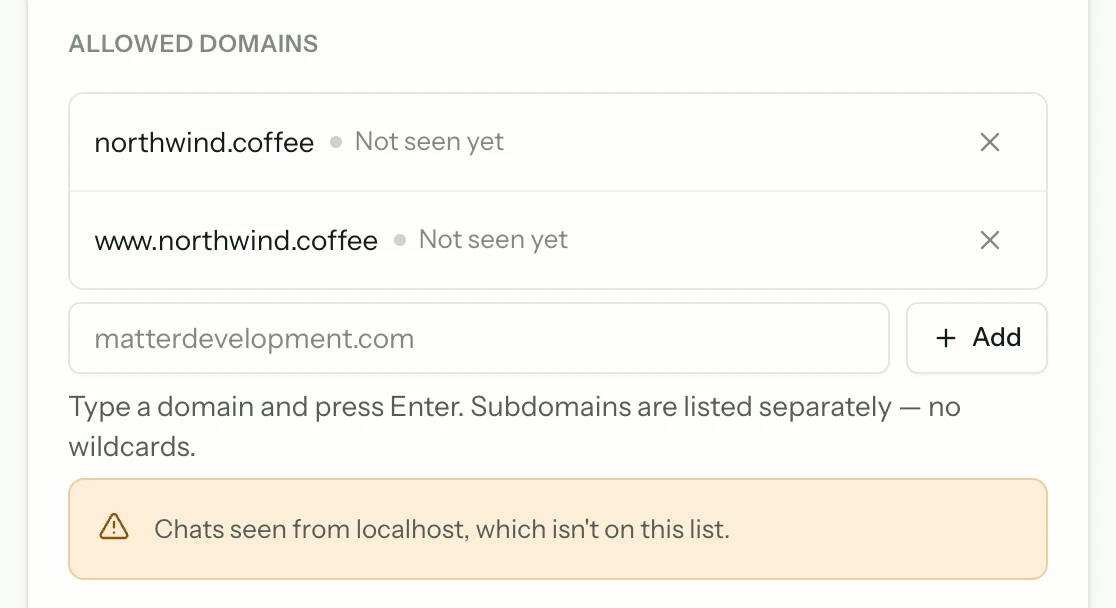
Domain locks and a hard daily reply cap on every bot you run.
Deploy in an afternoon
A crawl and two lines in the client's theme. No engineering time per account.
A report that writes itself
Conversations handled, leads captured, and a ranked content-gap list — which is a brief you can quote for.
Any stack a client is on
Shopify, WordPress, Webflow, Wix, a framework build, or hand-written HTML.
Your brand on the thing their customers see
The widget carries your logo and your colours, and the Powered-by badge comes off on the Agency plan — so the assistant answering on your client's site is yours, not a vendor's. Each client's login reaches their own conversations and leads and nothing else, which keeps the reporting yours to present.
- Your logo and palette
- Layout, theme, accent and avatars are all set on the bot, not the account.
- The badge comes off
- No Powered-by mark on any widget you deploy on the Agency plan.
- Per-client dashboards
- Each client gets their own login, scoped to their conversations and leads.
- Master controls stay yours
- Sources, spend caps and account settings never appear in a client's login.
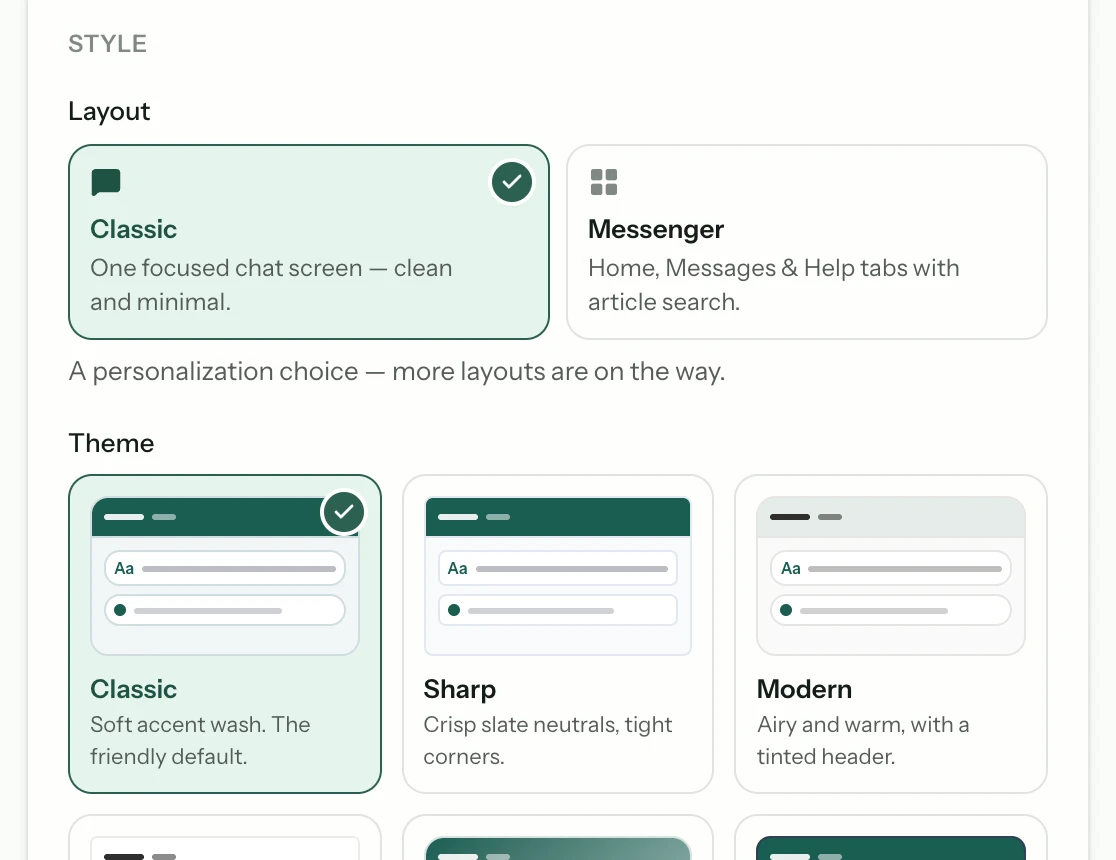
One console for everything you are responsible for
Every client bot, every knowledge source, and every spend cap in one place. You can answer 'what is deployed for this client and what is it costing' without logging into twenty accounts.
- Master controls
- Manage bots, sources, and limits across every client from a single login.
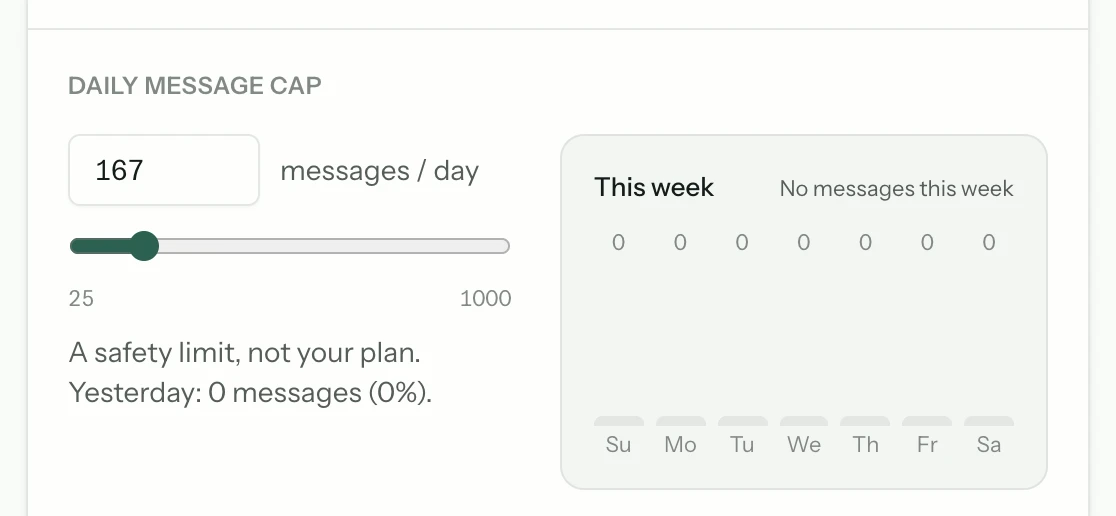
- Per-bot spend caps
- A hard daily ceiling per client, so one busy site cannot consume the rest.

Margin that survives a busy month
Pricing is flat and metered rather than per-seat, so adding a client does not add a subscription. You resell at whatever markup your market supports, and the caps mean your cost side has a known maximum.
A client who can see the vendor can go to the vendor
White-labelling is usually sold as a cosmetic feature. It is a commercial one: the work you do around this — the crawl, the content, the caps, the iteration — is invisible next to somebody else's logo, and a client who learns the list price starts wondering what the retainer is for.
- The widget carries your client's brand, not ours
- The Powered-by badge comes off on Agency
- Clients log in to their own workspace, scoped to their data
- Master controls and spend caps stay with you
The widget is entirely your client's — branding per bot, badge off on Agency. The dashboard is not: clients sign in at app.matterchat.co under our name, and there is no custom domain or rebranded console at any tier today.

- Conversations
- Leads
- Content gaps
- Spend caps and billingAgency only
Adding a client
The repeatable part of the work. Once you have done it twice it takes about twenty minutes, most of which is the crawl running.
- 1
Create their workspace
A new bot with its own sources and history, so their knowledge and conversations never mix with another client's.
- 2
Crawl their site
Their content, their citations. Review the source list before you show them anything.
- 3
Brand it and bound it
Set the widget to their colours, lock it to their domains, and set the daily cap you priced the retainer against.
- 4
Hand them a login
Scoped to their own conversations and leads, so they can see the value without touching your controls.
Questions agencies ask first
Short answers. If yours is not here, the assistant on this page will try it — and tell you honestly if it cannot.
Can clients tell they are using Matter Chat?
Not from the widget — branding and colours are set per bot and the Powered-by badge comes off on Agency, so the assistant their customers meet is entirely yours. The dashboard is the exception: clients sign in at app.matterchat.co and it carries our name.
How do I stop one client's traffic spike from costing me?
Each bot carries its own hard daily reply cap and per-visitor rate limits, and every bot is domain-locked to the sites you specify. The ceiling is set per client, in advance.
Do clients need their own logins?
They can have them. Each client gets a dashboard scoped to their own conversations, leads, and analytics, while master controls stay with you.
Keep reading
All solutions



From the blog
All posts- BuildingAgencies: one bot, many client knowledge basesHow agencies should run AI support across clients: separate knowledge bases, domain locks, and evaluation per property.Read
- EvaluatingWhy answer rate is a vendor metric, not a buyer metricAnswer rate is trivially improved by being less careful. Here is what the number actually measures — and what to read instead when you evaluate vendors.Read
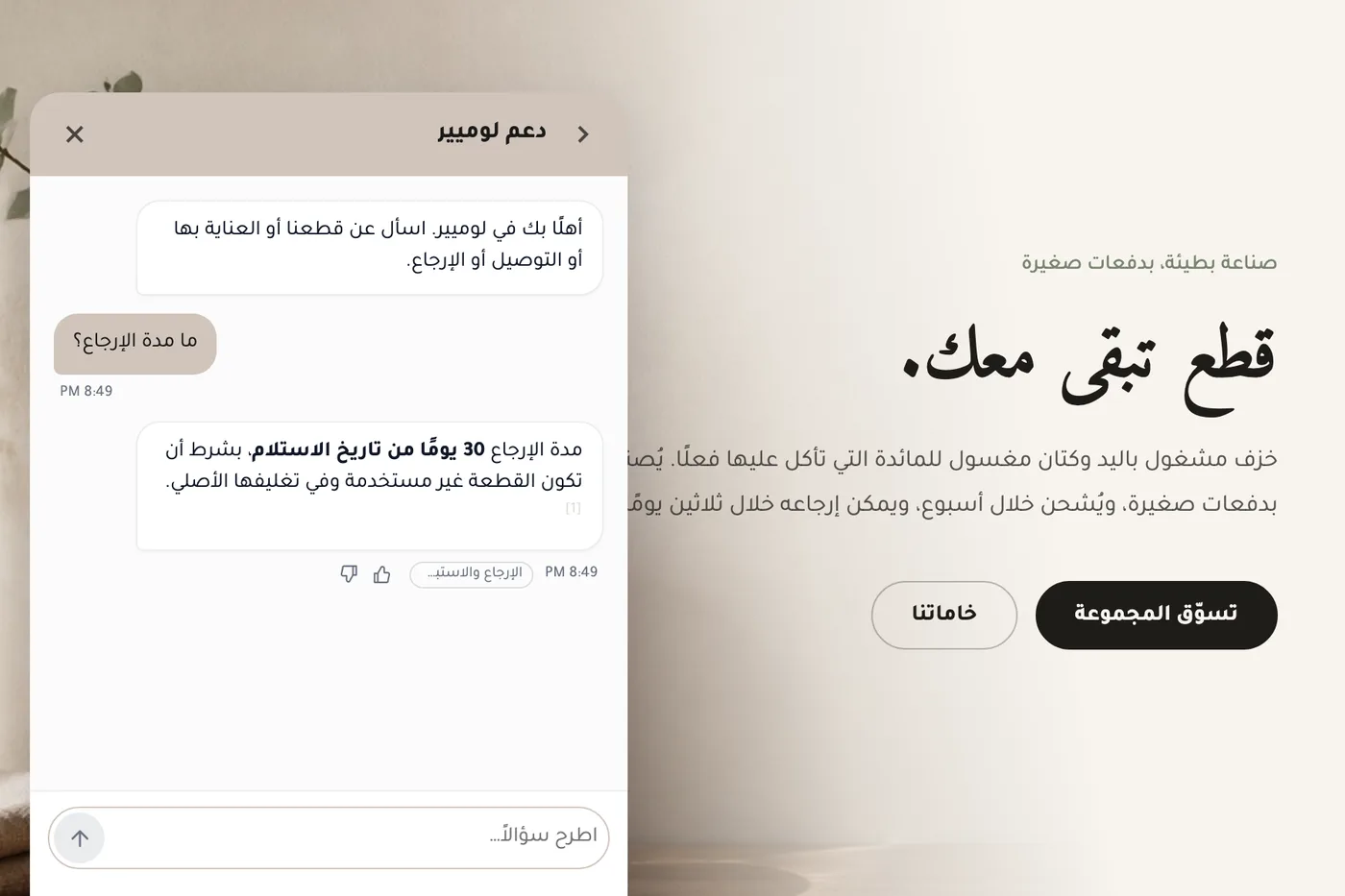
- EvaluatingWhat supporting Arabic properly asks of an AI chat widgetWhat correct Arabic support in an AI chat widget involves — right-to-left layout, mixed-direction text, reply language, citations and search — how Matter Chat handles each, where it still falls short, and a live Arabic demo store to test it on.Read



Answer honestly. Capture the rest.
Point Matter Chat at your site and see what it can — and can't — answer. It's honest about both.
No credit card. 2 minute setup.
Every answer cites the source it came from. When there isn't one, it says so — and hands the visitor to you.


Installs on the tools you already run.