Set spend caps, rate limits, and domain locks
Usage-based tooling without a ceiling is an open-ended liability. These three settings close it.
The failure mode is a bill, not an outage
With usage-based AI the thing that goes wrong is rarely downtime. It is a scraper, a bored visitor, or a copied snippet on someone else's site quietly consuming your allowance until the invoice arrives.
- No ceiling on what a single day can cost
- A public key that would work on any origin
- One visitor able to send unlimited messages
- Costs discovered on the invoice rather than at the time
Lock the widget to your domains
List the origins allowed to serve the widget. The public key is visible in your page source by necessity, so this is what makes it safe: on any other domain, it will not answer.
Include every subdomain you use
www and apex are different origins.
Leave staging out of production
Use a separate bot for staging rather than widening the lock.
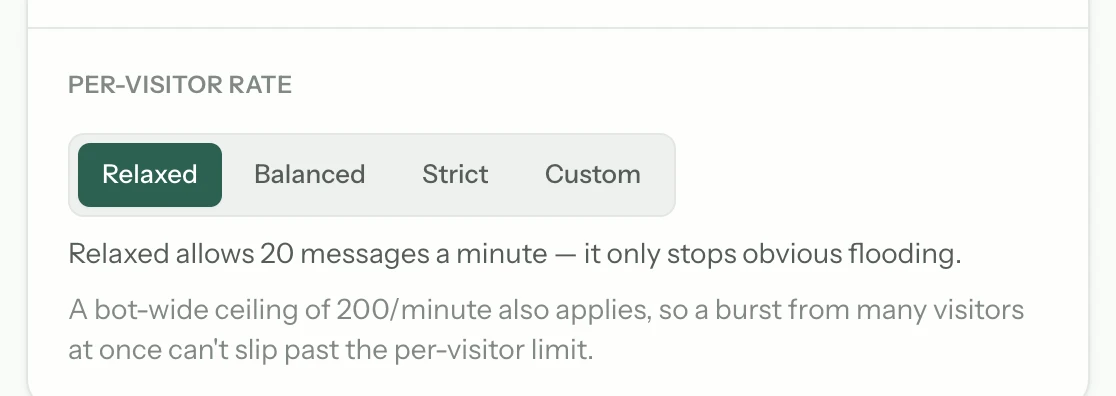
Rate-limit each visitor
Set the maximum messages one visitor can send in a window. This bounds a single bad actor without affecting a genuine customer, who almost never sends more than a handful of messages in a session.
Set the hard daily cap
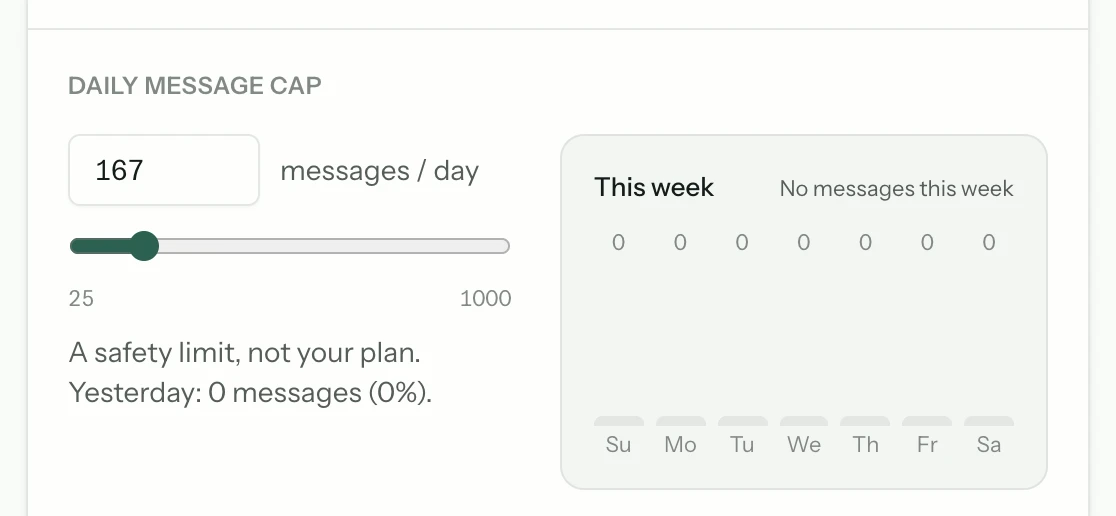
The ceiling for the whole day, across all visitors. Once it is reached the bot stops answering rather than continuing to spend. Choose a number that comfortably exceeds a normal day but that you would be content to pay on the worst day.
Revisit after two weeks of real traffic
The right numbers are the ones your actual usage suggests, not the ones you guessed before launch. Look at a fortnight of real data and set the cap somewhere above your busiest day rather than at an arbitrary round number.
Common questions
- What happens when the daily cap is reached?
- The bot stops answering for the rest of the day rather than continuing to spend. That is deliberate — a cap that can be exceeded is not a cap.
- Will rate limiting frustrate real customers?
- It should not if the limit is set sensibly. Genuine support conversations are short; a limit well above a normal exchange bounds abuse without ever being hit by a real customer.
- Do I need separate caps per client?
- If you run bots for several clients, yes — the cap is set per bot, so one client's spike cannot consume another's allowance or your margin.
From the blog
All posts- BuildingLaunch checklist: five questions before you go liveBefore launch: confirm sources, citations, refusals, human handoff, and cost controls. If any fail, the widget is not ready — the model is not the issue.Read
- EvaluatingRed flags in an AI support RFP responseRed flags in AI support RFP responses: vanity metrics, citation theatre, handoff fog, and demos that never leave the happy path — and what to demand instead.Read
- BuildingSpend caps as a product decision, not just billingSpend caps belong in product design: they define refusal behaviour, protect visitors from runaway loops, and force explicit choices about what support automation is worth.Read




Answer honestly. Capture the rest.
Point Matter Chat at your site and see what it can — and can't — answer. It's honest about both.
No credit card. 2 minute setup.
Every answer cites the source it came from. When there isn't one, it says so — and hands the visitor to you.


Installs on the tools you already run.