White-label the widget and dashboard for clients
If the client can see the vendor, the client can go to the vendor. White-labelling is a commercial control as much as a cosmetic one.
A visible vendor undermines the retainer
When the tool is branded, the client learns who supplies it, what it costs, and that they could buy it directly. The work you do around it — configuration, content, iteration — becomes invisible next to the logo.
- Clients contacting the vendor's support instead of yours
- The retainer questioned once the client sees list pricing
- Your configuration work invisible beside someone else's brand
- Every client seeing a dashboard you cannot control
Brand the widget, per client
Branding is configured per bot, under Settings then Widget, which is what you want when every client is a different company: layout, theme, accent colour, launcher mark, bot avatar and team faces are all set on the bot rather than globally. On the Agency plan you can also switch off the Powered-by badge, so nothing on the widget names a supplier.
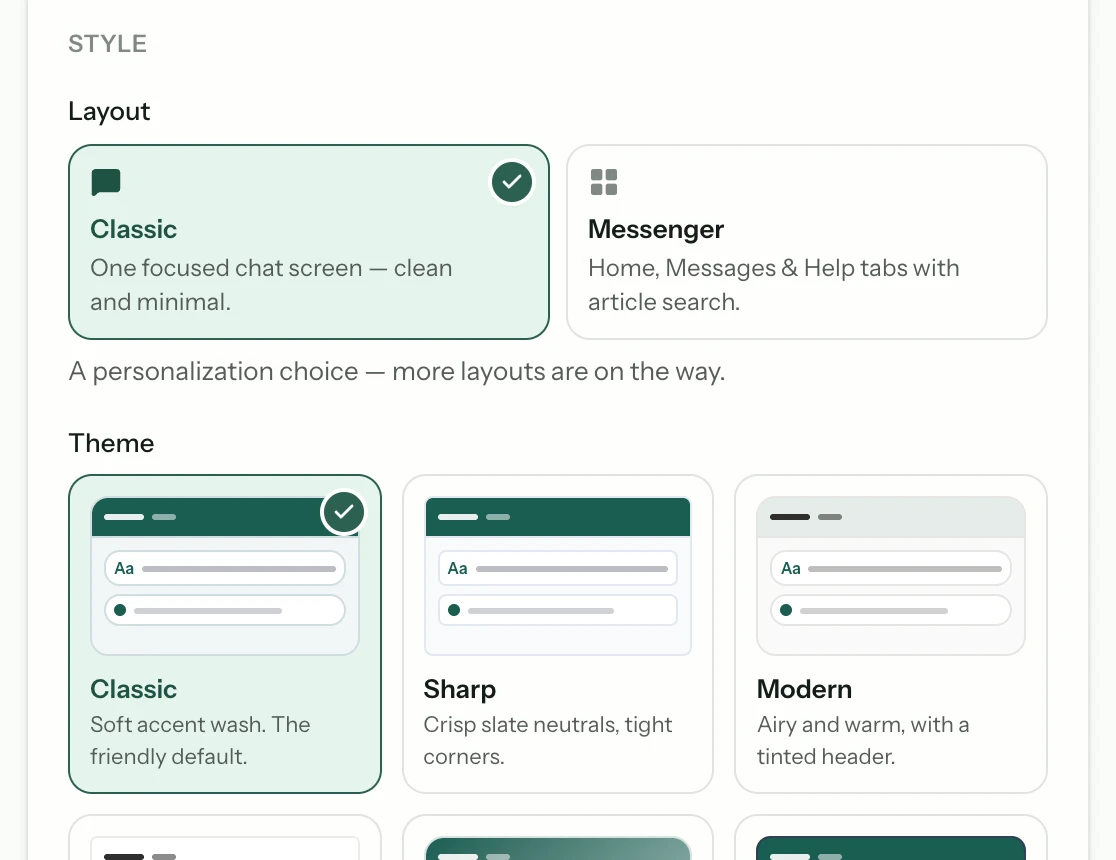
Set it per bot
Each client's widget carries their brand, not a shared one.
Remove the badge
The Powered-by badge can be switched off on the Agency plan.
Know where the white-labelling stops
The widget is the part your client's customers see, and it can be entirely yours. The dashboard is not: your client signs in at app.matterchat.co and the console carries our name, not yours. A custom domain and a rebranded console are not available today, at any tier. Position the login as a reporting view you give them access to, and nothing about the retainer is undermined — but say it before an onboarding rather than during one.
Create a scoped login per client
Each client gets access to their own conversations, leads, and analytics and nothing else. Master controls — sources, caps, tenant management — stay with you.
Scope tightly
A client should never see another client's data or your console.
Keep caps with you
Spend limits are your commercial control, not a client setting.
Check it as a client would
Log in with a client account in a private window and walk through what they see. It is easy to brand the widget thoroughly and leave the vendor's name in a corner of a settings screen nobody on your side ever opens.
Common questions
- Can clients see that Matter Chat is underneath?
- On the widget, no — branding is per bot and the Powered-by badge comes off on the Agency plan, so the assistant answering on their site is yours. In the dashboard, yes: the console is at app.matterchat.co and carries our name. Most agencies never give clients a login at all and send the monthly report instead. Verify it yourself with a client-scoped login before you show anyone.
- Do clients get their own login?
- Yes — a login scoped to their own bot: their conversations, their leads, their analytics, and nothing from your other clients. Master controls stay with you.
- Can each client have different branding?
- Yes — appearance is configured per bot, so colours, launcher, greeting, theme and layout are all per client. That is the widget; the dashboard carries our brand on every tier.
From the blog
All posts- BuildingAgencies: one bot, many client knowledge basesHow agencies should run AI support across clients: separate knowledge bases, domain locks, and evaluation per property.Read
- BuildingWhat to index first when your site is a messStart with the pages that already resolve real support questions. Noise, archives, and unfinished docs can wait — indexing them first makes answers worse.Read
- BuildingLaunch checklist: five questions before you go liveBefore launch: confirm sources, citations, refusals, human handoff, and cost controls. If any fail, the widget is not ready — the model is not the issue.Read




Answer honestly. Capture the rest.
Point Matter Chat at your site and see what it can — and can't — answer. It's honest about both.
No credit card. 2 minute setup.
Every answer cites the source it came from. When there isn't one, it says so — and hands the visitor to you.


Installs on the tools you already run.