Install the widget on your site
Two lines, one place, no build step. The only thing that varies is where your platform lets you paste them.
The snippet is simple; finding where it goes is not
Every platform hides custom code somewhere different, and several restrict it to paid tiers. The install itself takes seconds once you know which settings screen you need.
- Custom code fields buried in different places per platform
- Snippets pasted into a parent theme and erased by an update
- Widget appearing on some pages and not others
- No obvious way to confirm the install actually worked
Copy your snippet
Open your bot in the dashboard and copy the install snippet. It contains your public key, which identifies the bot. That key is a public identifier rather than a secret — it is bounded by domain locks and rate limits, not by being hidden.
Paste it before the closing body tag
The snippet belongs at the end of the body so it never blocks rendering. Where that is depends on your platform: theme.liquid on Shopify, footer code injection on Squarespace and Ghost, site settings custom code on Webflow and Framer, a snippet plugin on WordPress, index.html or app.html for a framework build.
Shared layout, not per page
One paste in the layout beats one paste per page.
Child theme only
On WordPress, a parent-theme edit is erased on update.
Set your domain lock
Before publishing, add the domains the widget is allowed to run on. This is what makes the public key safe: it will not answer from an origin you did not list, so a copied snippet cannot run up usage on someone else's site.
Verify on the live site
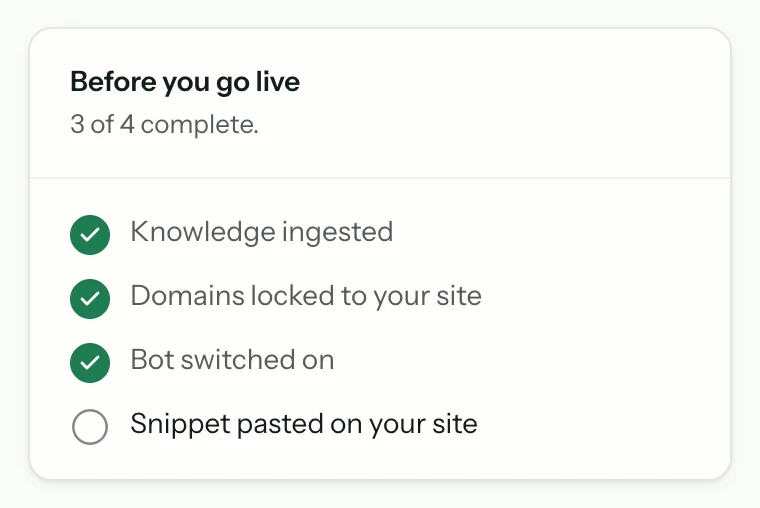
Load the published page — not the editor preview, which on several platforms does not run custom code — and check the launcher appears. Ask it one question you know it can answer and confirm the citation links to a real page.
Common questions
- Will it slow my site down?
- The script loads asynchronously, so it never blocks parsing or rendering. If you are measuring Core Web Vitals closely, defer it further — in Next.js, next/script with the afterInteractive strategy keeps it out of the way of Largest Contentful Paint entirely.
- The widget is not appearing — what should I check?
- Three things, in order: are you looking at the published site rather than an editor preview; is the current domain in your domain-lock list; and did the snippet land before the closing body tag rather than somewhere the platform strips scripts.
- Is my public key a secret?
- No. It identifies the bot and is visible in your page source by necessity. It is protected by domain locks, per-visitor rate limits, and daily caps rather than by secrecy.
From the blog
All posts- BuildingPrompt injection on a public support widgetPublic widgets get jailbreak theatre and quieter injection attempts. Here is what actually matters for support: grounding, tool limits, domain locks, and not following instructions in the user message.Read
- BuildingWhat to index first when your site is a messStart with the pages that already resolve real support questions. Noise, archives, and unfinished docs can wait — indexing them first makes answers worse.Read
- BuildingLaunch checklist: five questions before you go liveBefore launch: confirm sources, citations, refusals, human handoff, and cost controls. If any fail, the widget is not ready — the model is not the issue.Read




Answer honestly. Capture the rest.
Point Matter Chat at your site and see what it can — and can't — answer. It's honest about both.
No credit card. 2 minute setup.
Every answer cites the source it came from. When there isn't one, it says so — and hands the visitor to you.


Installs on the tools you already run.