
Put every lead and handoff into the tools you already run
Two triggers — a new lead, and a visitor asking for a person — against one API key. Everything downstream is whatever your Zap does with it.
- Growth and Agency
- One API key
- No code
polls on Zapier’s schedule · one API key
- Two triggers
- New lead, and New handoff request.
- One API key
- Made on the API keys page, and it reaches the triggers alone.
- Polls on Zapier’s schedule
- One to fifteen minutes, set by your Zapier plan.
- Thousands of apps
- A sheet, Slack, your CRM — whatever the Zap editor reaches.
What the triggers carry
Flat fields with stable names, so the Zap editor shows them as plain words.
Email and name
Whatever the visitor left, on New lead.
Message and topic
What they were asking about, on New lead.
A link to the conversation
Straight into the dashboard, on both triggers.
The page they were on
The URL the widget was open on, on both triggers.
When they asked
Handoffs are ordered by the request, not by when the chat started.
Which assistant
The bot’s name — and on a handoff, whether a person has already taken it.
Every tool wants its own integration, and most never get built
The CRM has one, the helpdesk has another, and the spreadsheet the founder actually reads has none.
- Leads live in the widget’s dashboard and nowhere your team works
- The CRM you use is not the one the chat tool integrates with
- Every new tool means asking a developer for another webhook
Connecting takes a key
No code: a key, a paste, and the Zap editor.
- 1
Open API keys in the sidebar
Keys belong to the workspace, not to one bot.
- 2
Create a new key
It reaches the two triggers and the connection test, nothing else.
- 3
Add the Matter Chat app in Zapier
Through the invite link beside the key, until the app is in Zapier’s public directory.
- 4
Paste the key and pick the assistant
The connection test fills the dropdown with your bots — or says, in a sentence, why not.
mc_sk_••••••••••••••••
Zapier · two triggers and the connection test
paste the key into the Matter Chat app in Zapier
What it does not do
Two polling triggers, newest first. That is the whole surface.
- Not instant — a lead arrives on Zapier’s next poll
- Not yet in Zapier’s public directory
- The key reaches no ingest or query endpoints
- No duplicates — Zapier stops at the first id it has seen
Zapier or the direct HubSpot connection?
Both are on Growth and Agency. Pick by the job.
- Direct HubSpot: contacts and timeline notes, no Zap
- Zapier: deals, properties, and every other tool
- Run both at once, or start with one and switch
- Test handoffs never raise a Zap
Keep reading
All solutions

What Zap builders ask
Short answers. If yours is not here, the assistant on this page will try it — and tell you honestly if it cannot.
Which plan includes Zapier?
Growth and Agency. The connection test says so in a sentence if your plan does not include it, and Zapier shows you the sentence.
Is the app in Zapier’s directory?
Not yet. Until it is listed publicly you add it through the invite link shown beside your API keys in the dashboard. Once it is in your account it works like any other Zapier app.
How quickly does a lead arrive?
On Zapier’s next poll. Zapier checks between every minute and every fifteen minutes depending on your Zapier plan; the triggers themselves are ready the moment the lead is saved.
Does it need a developer?
No. Create a key, paste it into Zapier, and build the Zap in the editor. Both triggers are also plain GET endpoints, so a developer can call them directly without Zapier if they prefer.
Can it send leads to HubSpot?
Yes, through a Zap. There is also a direct HubSpot connection that needs no Zap and writes notes onto the contact’s timeline; Zapier is the route for deals, custom properties, or a second portal.
From the blog
All posts- EvaluatingWhy answer rate is a vendor metric, not a buyer metricAnswer rate is trivially improved by being less careful. Here is what the number actually measures — and what to read instead when you evaluate vendors.Read
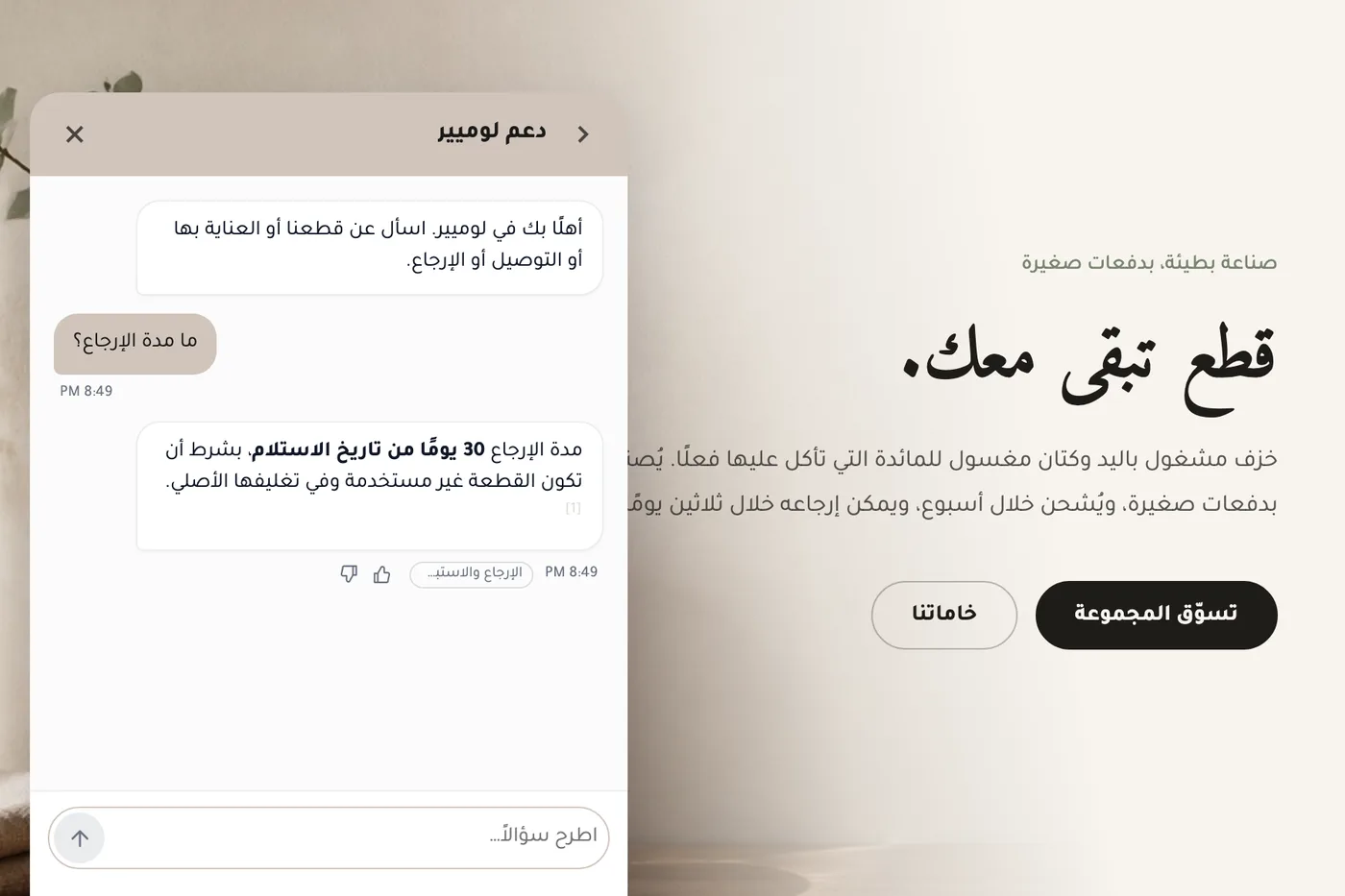
- EvaluatingWhat supporting Arabic properly asks of an AI chat widgetWhat correct Arabic support in an AI chat widget involves — right-to-left layout, mixed-direction text, reply language, citations and search — how Matter Chat handles each, where it still falls short, and a live Arabic demo store to test it on.Read
- EvaluatingChatbase alternatives for teams that need cited answers (2026)Matter Chat, Chatbase, Intercom Fin, Tidio Lyro, DocsBot and Chatling compared on citations, refusal behaviour, handoff and what the entry price meters. Checked on the vendors' own pages, with the test to run on all six.Read



Answer honestly. Capture the rest.
Point Matter Chat at your site and see what it can — and can't — answer. It's honest about both.
No credit card. 2 minute setup.
Every answer cites the source it came from. When there isn't one, it says so — and hands the visitor to you.


Installs on the tools you already run.