Deliver captured leads to your CRM
A lead in a dashboard nobody opens is not a lead. It has to arrive where your pipeline already lives.
A second inbox is a lost inbox
Captures that live only in the tool that produced them get checked enthusiastically for a week and then not at all. If they do not appear where your team already works, they effectively do not exist.
- Leads sitting unactioned in a tool nobody opens
- Sales copying details between systems by hand
- No record in the CRM of what the lead originally asked
- Attribution guesswork because the source is not recorded
Choose where leads are delivered
Open Settings, then Notifications. Add a channel — email, Slack, Discord, Telegram, a webhook, WhatsApp or SMS — and verify it. Each row has two event chips, Handoffs and Leads; switch Leads on for every channel that should hear about a capture. Most teams want two — email so somebody notices, and a webhook so the record lands in the system of record.
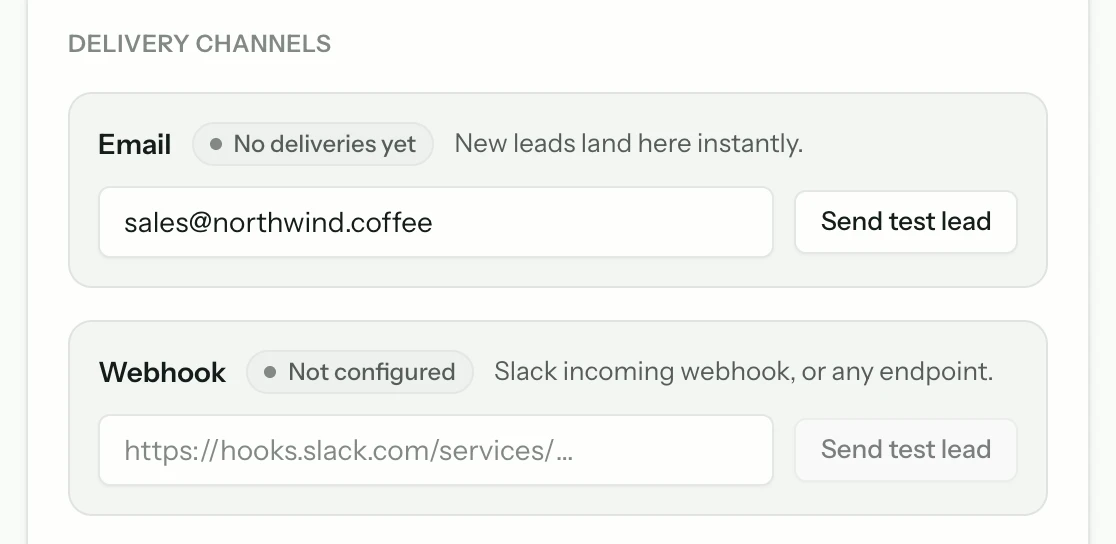
Immediate, and the one that gets a human to look.
Webhook
JSON to any endpoint — your CRM, an automation tool, or your own service.
Slack, Discord, Telegram
The same lead, in the room where the team already is.
Point the webhook at your CRM
If your CRM accepts an incoming webhook, give it that URL and you are done. If it does not, put an automation tool in between — Zapier, Make, or n8n all take a webhook in and write a CRM record out, which is also where you map fields onto your own schema.
Direct
Any CRM with an inbound webhook or a generic HTTP endpoint.
Via automation
Zapier, Make, or n8n for anything that needs field mapping.
Send a test capture end to end
Use Send test on the webhook row and follow it all the way into your CRM. Check the fields landed where you expected and that the conversation link resolves. Discovering a mapping mistake three weeks later means three weeks of leads with missing context.
Decide who is notified
The webhook puts the record in the right place; the email puts it in front of a person. For anything time-sensitive — property, trades, high-intent B2B — use both, because a record nobody is told about waits until someone looks.
Common questions
- Is there a one-click HubSpot or Salesforce app?
- HubSpot, yes — press Connect HubSpot in a bot’s Settings → Leads & CRM on Growth and up, and each capture becomes a contact with the message as a note; the HubSpot integration page shows what lands on the contact’s timeline. Salesforce, not today, and we would rather say so here than have you find out after signing up: reach it by webhook, or through Zapier, Make, or n8n. Captures are also exportable as CSV.
- Can different bots deliver to different places?
- Yes — the channels are configured per bot, which is what makes it workable for agencies running several clients.
- What if a lead has no email address?
- Then there is nothing to route. It is still recorded as a conversation and, if it was a refusal, still counts toward your content-gap report — which is the other way that moment produces value.
From the blog
All posts- BuildingWhat to index first when your site is a messStart with the pages that already resolve real support questions. Noise, archives, and unfinished docs can wait — indexing them first makes answers worse.Read
- BuildingLaunch checklist: five questions before you go liveBefore launch: confirm sources, citations, refusals, human handoff, and cost controls. If any fail, the widget is not ready — the model is not the issue.Read
- BuildingKnowledge ops for a two-person teamA support bot on a tiny team survives on refusal lists, ten-minute recrawls, and docs edits tied to real tickets — not on a KM platform nobody maintains.Read




Answer honestly. Capture the rest.
Point Matter Chat at your site and see what it can — and can't — answer. It's honest about both.
No credit card. 2 minute setup.
Every answer cites the source it came from. When there isn't one, it says so — and hands the visitor to you.


Installs on the tools you already run.