These two are compared so often because they are aimed at the same person: a designer who wants to ship a site without handing it to a developer. The difference is what each is optimised for. Framer began as a prototyping tool and still feels like one — a fast canvas, components, animation, a site live in an afternoon, and a pricing page that meters AI credits and CMS items. Webflow began as a visual CSS editor and still feels like one — precise, structured, and built for a site with hundreds of pages and a content team behind it, with a pricing page that meters bandwidth and sells a $2,500 team tier.
We make a support chatbot that installs on both with the same two lines, so we are not partial, and there is no affiliate link or sponsorship here. The numbers below are the vendors' own, read on the date in the note, the screenshots are of their public pricing and template pages, and the receipts at the end list every figure with its page.
Webflow vs Framer at a glance
 Webflow Webflow |  Framer Framer | |
|---|---|---|
| Built for | Content-heavy sites with a CMS and a team | Landing pages, startup sites, portfolios — fast |
| Free plan | Starter: Webflow subdomain, 2 static pages, 1 GB bandwidth | Free: Framer subdomain, 1 GB bandwidth, 500 AI credits to try |
| Entry paid plan | Basic, $15/mo — your own domain, 300 pages, 10 GB, no CMS | Basic, $10/mo — your own domain, 30 pages, 2 CMS collections, 1,000 items, 50 GB |
| The plan most sites end up on | Premium, $25/mo — Webflow CMS, site search, code components, 50 GB+ | Pro, $30/mo — 150 pages, 10 collections, 2,500 items, 100 GB, redirects, staging |
| Editors | Not itemised on the site-plan page; Workspace plans are separate | $20/mo per additional editor, $10 per content editor, viewers free |
| Localisation | Add-on: Localize Essential from $9/mo, Advanced from $29/mo | Add-on: $20 per locale, up to 20 |
| Ecommerce | Own Ecommerce plans: $29, $74, $212 | Not on the pricing page |
| Custom code | Site settings → Custom code, paid site plan, not in Designer preview | Site settings → General → Custom code; reaches CMS pages |
| Top of the ladder | Team at $2,500/mo (annual contract), then Enterprise | Enterprise: custom limits, unlimited editors, SSO, SCIM |
- Live this weekFramer · clearly
A Figma-shaped canvas and a $10 plan with a CMS. Webflow's Designer rewards the second week more than the first.
- Cheapest paid siteFramer · clearly
Framer Basic is $10 and includes two CMS collections. Webflow Basic is $15 and has no CMS.
- Cheapest full CMSWebflow
Webflow Premium at $25 beats Framer Pro at $30 — and Framer's ten-collection cap has a price beyond it, $40 per ten more.
- Hundreds of pagesWebflow · clearly
Webflow Basic allows 300 static pages at $15. Framer Basic allows 30, Pro 150, then $20 per 100 up to 700.
- A content teamWebflow
Framer prices editors at $20 and content editors at $10, capped at 10 seats below Enterprise. Webflow's team features live on Team at $2,500.
- Animation and componentsFramer
Framer's marketplace and canvas are built around motion; Webflow's interactions are deeper but slower to build. Editorial, and yours to disagree with.
- Selling from the siteWebflow · clearly
Webflow has ecommerce plans with a custom cart and checkout. Framer's pricing page does not mention ecommerce.
Our read, not a score. Each marker is a judgement about who the criterion favours, and the sentence under it is what you can argue with. The facts behind each are in the sections below and in the receipts at the end.
Framer is faster to a first site; Webflow goes deeper
Framer's canvas will be familiar to anyone who has used Figma, and a template-to-live-site run is measured in hours. The pricing page is written for that person: pages, CMS collections and AI credits per month, with a “design pages” free tier for trying it. Webflow's Designer is a visual layer over CSS — classes, flex, grid — and a designer who knows the web finds the control worth the longer first week. Its pricing page is written for a site that has already launched: bandwidth in tiers, site search, code components, a Team plan for governance. Neither is for the owner who has never built a site; that person should read Webflow vs Wix instead.
Pricing: Framer is cheaper to start, Webflow is cheaper with a CMS
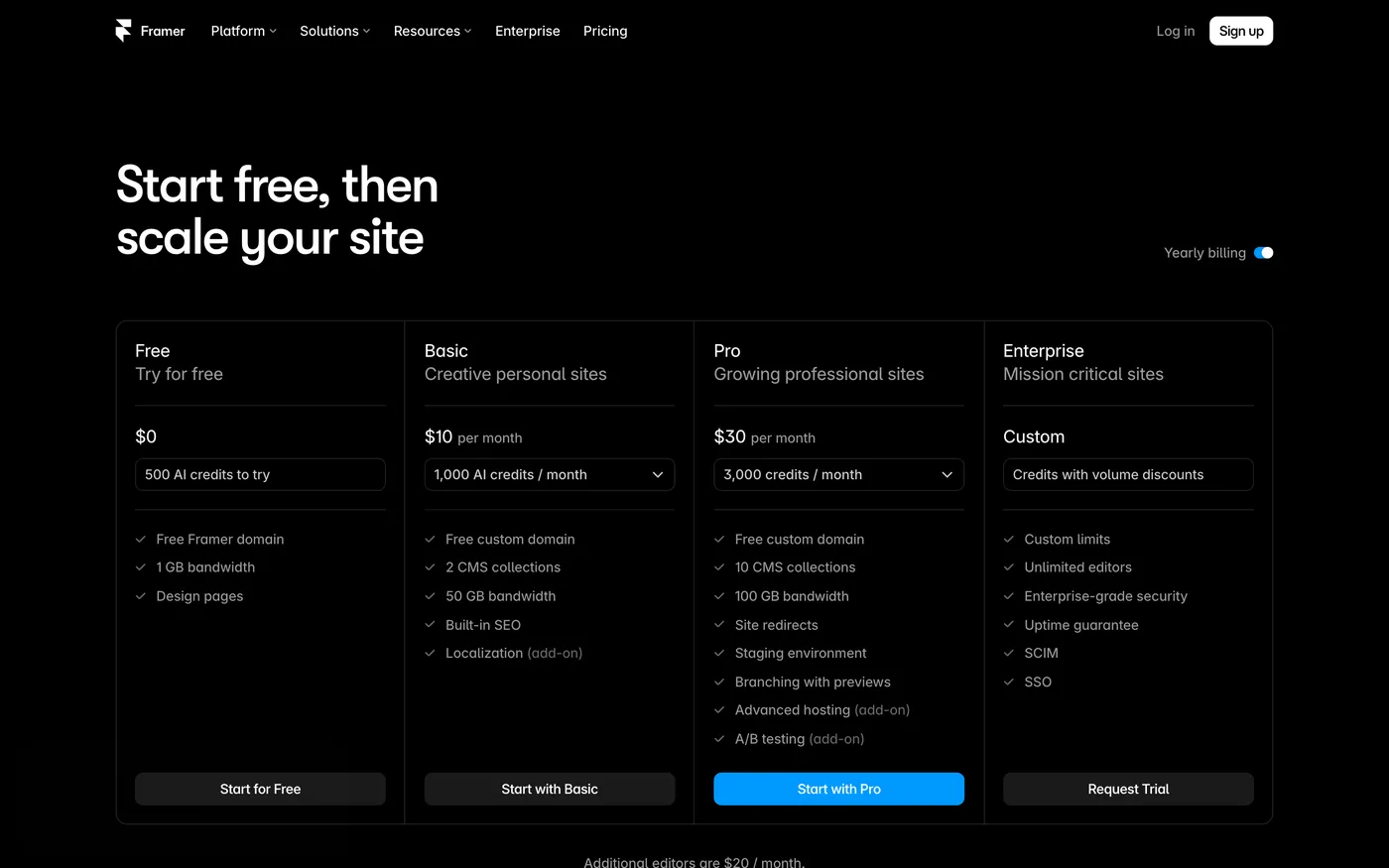
Framer's ladder is Free, Basic at $10 a month, Pro at $30, and Enterprise. Every paid plan includes the CMS; what changes is how much of it. Basic has 30 site pages, two collections, 1,000 CMS items, 50 GB of bandwidth, 1,000 AI credits a month and hosting from 20 locations. Pro has 150 pages, ten collections, 2,500 items, 100 GB, 3,000 credits, 300+ hosting locations, site redirects, a staging environment and branching with previews. Beyond Pro's limits Framer charges by the step — $20 per 100 pages up to 700, $40 per ten collections up to 40, $20 per 10,000 items up to 40,000, $40 per 100 GB up to 2 TB. Additional editors are $20 a month, content editors $10, viewers free, and seats are capped at ten below Enterprise.
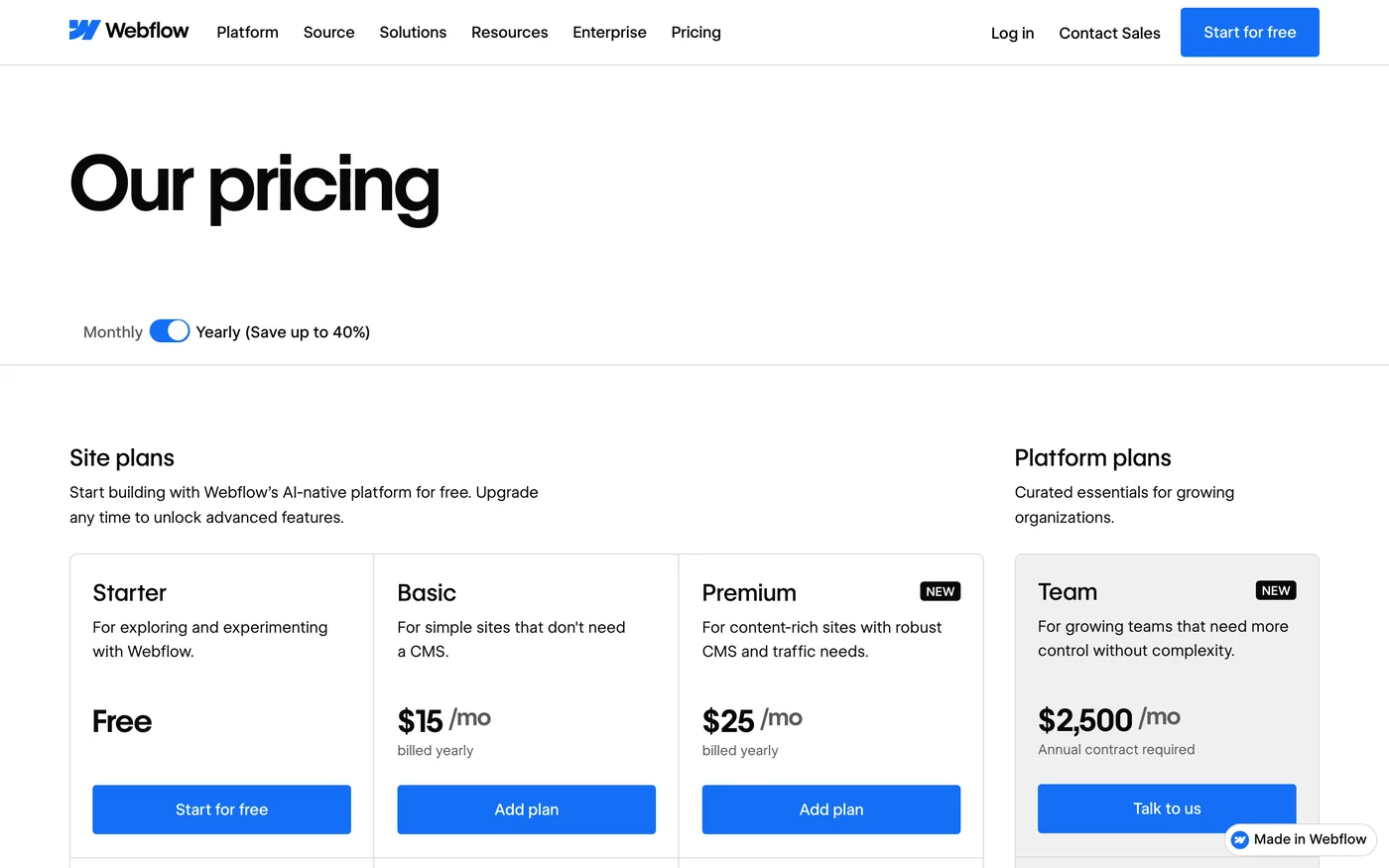
Webflow's ladder is Starter (free), Basic at $15, Premium at $25, then Team at $2,500 a month on an annual contract and Enterprise. Basic has your own domain, 300 static pages, 10 GB of bandwidth and unlimited form submissions, but no CMS. Premium has the CMS, site search, code components and form file upload, with bandwidth bought in steps from 50 GB up to 2.5 TB. Team adds Localize, publishing workflows, single-page publishing, an activity log and API, and priority support. Editors are not itemised on the site-plan page; Webflow sells seats through separate Workspace plans.
USD per month
Monthly price billed yearly, read on 16 September 2026. Framer's Basic includes a small CMS; Webflow's CMS starts at Premium.
So the entry price favours Framer by $5, and the full-CMS price favours Webflow by $5. For a five-page marketing site with a blog, Framer Basic at $10 is the cheapest way to be live in this post. For a site whose content team needs more than ten collections, Framer charges $40 per ten more, capped at forty; Webflow's Premium CMS is $25 with the limits it publishes on its compare page rather than the pricing page.
Pages
Static or site pages on the cheapest paid plan, as printed on each pricing page on 16 September 2026. Framer sells more pages in steps of 100 for $20, to a maximum of 700.
CMS, pages and what “scale” costs on each
This is the row that settles most Webflow-versus-Framer decisions. Framer's pricing page is unusually explicit about its ceilings: 30 then 150 pages, two then ten collections, 1,000 then 2,500 items, and a price per step above each, up to a hard maximum below Enterprise — 700 pages, 40 collections, 40,000 items, 2 TB. Webflow's page is explicit about bandwidth and about the jump to Team; the CMS limits themselves live on its compare page. The practical difference: on Framer you can compute the bill for a big site from the pricing page, and it climbs; on Webflow a big site is Premium plus bandwidth until it needs governance, and then it is $2,500.
If you can name more than ten kinds of content today, or you expect more than 150 pages in a year, the arithmetic favours Webflow before you even consider the editor. If the site is a landing page, a launch and a blog, Framer's limits are not limits you will meet.
Editors, teams and AI credits
Framer prices the team on the page: the workspace owner is free, viewers are free, each additional editor is $20 a month, each content editor — CMS, localisation and on-page editing only — is $10, and seats with edit access are capped at ten on Basic and Pro. Pro Experts, Framer's certified partners, get free edit access on client projects. Framer also meters AI: every paid plan carries monthly credits for its agents and AI features — 1,000 on Basic, 3,000 on Pro, more in steps — and a free plan gets 500 to try.
Webflow's site-plan page does not price editors; seats come through Workspace plans, which is a separate page, and the collaboration and governance features — publishing workflows, roles, an activity log — are what the Team plan sells at $2,500. Webflow's AI is listed as included on every plan, with an MCP server, rather than metered in credits. The honest reading is that Framer charges per person and per credit and stays cheap for a small team; Webflow charges per site and per governance tier and stays predictable for a large one.
Templates
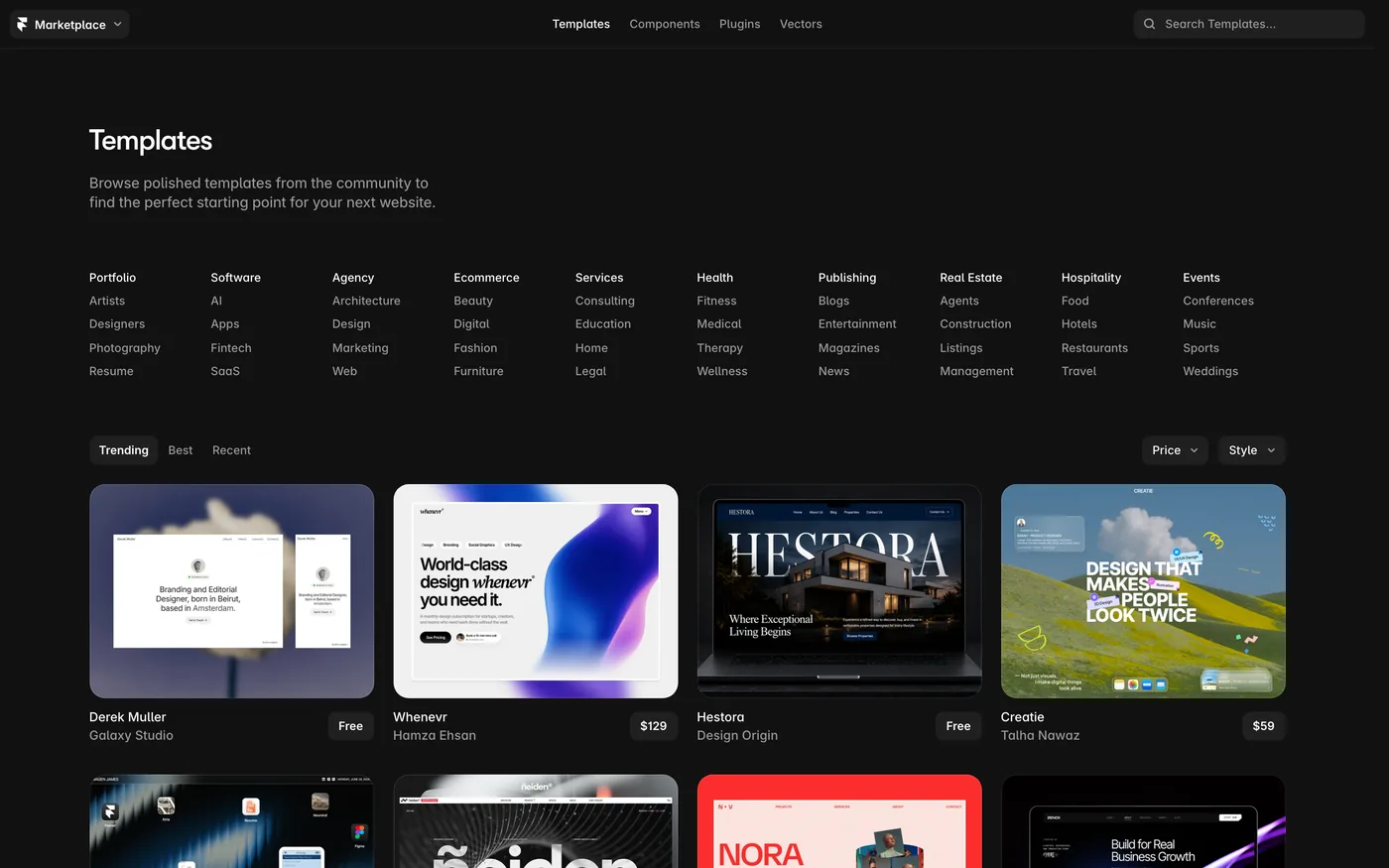
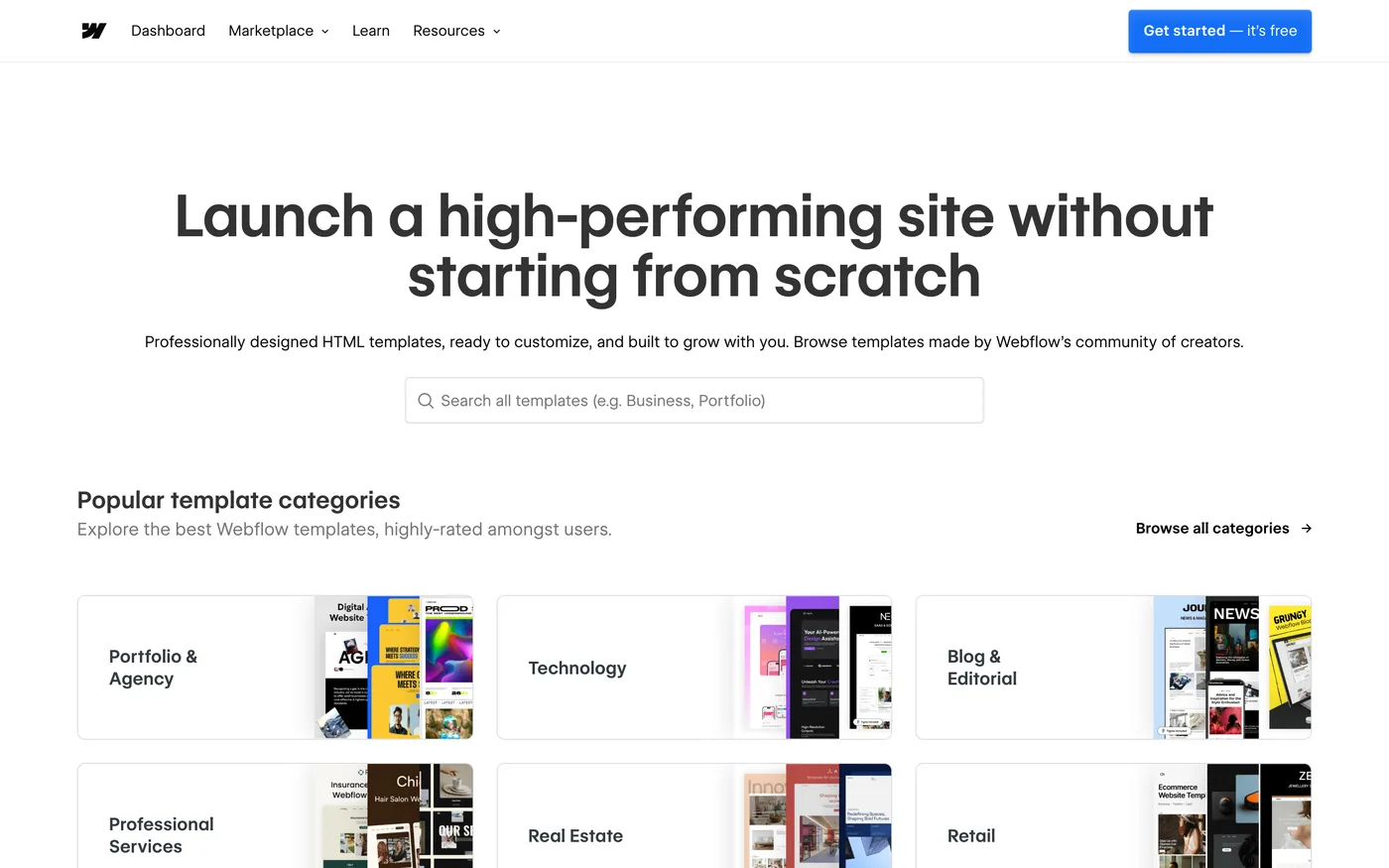
Both have marketplaces built by their own designers. Framer's leans free and animated; the grid we captured is portfolios, agencies and product launches, priced from free to around $100. Webflow's leans paid and structured, organised by business category. Either way the template is a starting point for someone who will take it apart, which is the audience both tools have.
Ecommerce
Webflow has ecommerce plans — Standard at $29 with 500 items and a 2% transaction fee, Plus at $74 with 5,000 items and no fee, Advanced at $212 with 15,000 items — with a custom cart and checkout. Framer's pricing page does not list ecommerce at all; a Framer site that sells does it through an embedded third party. If selling is a real part of the site, this row is decisive, and if it is the whole business, Shopify vs Wix is the comparison to read instead.
Custom code, hosting and localisation
Both have a site-settings field for scripts. On Webflow it is Site settings → Custom code, it needs a paid site plan, it applies to collection pages automatically, and it does not run in the Designer preview — publish, then check. On Framer it is Site settings → General → Custom code, with an “End of body tag” slot, and it reaches CMS collection pages too. Framer's help article does not state a plan requirement, so we do not either; check your plan before relying on it.
Hosting is where Framer's page is unusually detailed: 20 CDN locations on Basic, 300+ on Pro, password protection, static files for .well-known on Pro, and an Advanced hosting add-on at $200 for multiple sites under one domain. Localisation is an add-on on both: Framer at $20 per locale up to twenty, with AI translation; Webflow's Localize Essential from $9 a month and Advanced from $29, by locales, with localised URLs and visitor routing on Advanced. For a three-language site, price both before choosing — it is the add-on most likely to double the bill.
How Matter Chat installs on each
The part we can vouch for. Matter Chat answers visitors from the pages you published — including CMS pages on either tool — with a citation to the page it read, and it refuses when the content does not cover the question. The widget renders over the page in its own layer, so neither canvas has to know it exists, and a redesign does not touch it.
On Webflow
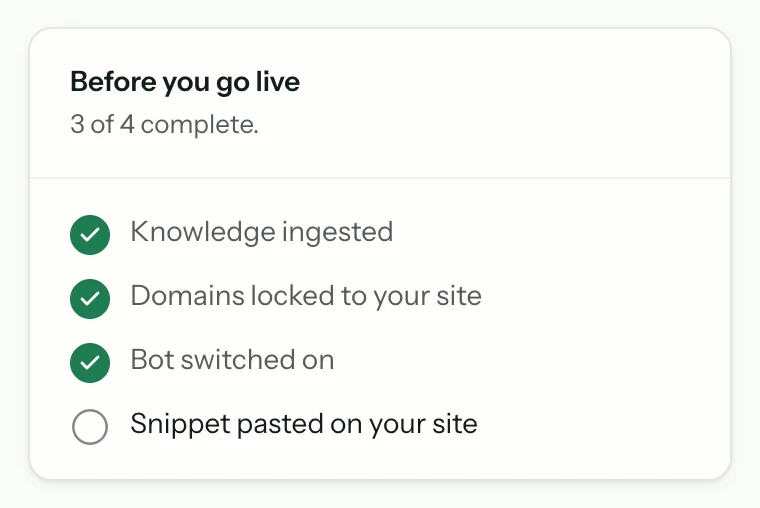
From the bot's Install tab, Connect Webflow authorises our app, you pick the site, and we register the loader as site custom code and publish — the same pinned script a pasted snippet carries. Or paste the two lines into Site settings → Custom code → Footer code yourself; either way it needs a paid site plan and shows on the published site, not in the Designer. The Webflow page has the click path.
On Framer
Framer is the paste route: Site settings → General → Custom code, the two lines in the “End of body tag” slot, publish. It reaches CMS collection pages, so there is no per-collection version to maintain. The Framer page shows the snippet.
On either, the crawler reads the published site, and the bill does not depend on the tool: a reply is one answer to a visitor, with a hard daily cap instead of overage. The pricing page has the tiers; the trial needs no card.
Webflow vs Framer: which is best?
The verdict
Which one, for whom

ChooseWebflow if…
- The site has a content team, more than ten kinds of content, or will pass 150 pages within a year.
- You need a store with a custom cart and checkout on the same platform.
- Localisation across many locales matters and you want it priced from the page.
- Predictability matters more than the entry price: Premium at $25 covers most sites until they need governance.
ChooseFramer if…
- It is a landing page, a startup site or a portfolio you want live this week, with animation.
- Basic at $10 with a small CMS is the whole requirement, and it is the cheapest live site in this post.
- The team is small and you would rather pay $20 per editor than $2,500 for a team tier.
- You want staging and branching with previews on a $30 plan.
Neither, if the person building the site is the owner rather than a designer — read Webflow vs Wix — or if the shop is the business, in which case Shopify vs Wix is the comparison.
If you are an agency, count the sites: both price per site, and the add-ons — locales, editors, pages, bandwidth — are where the two bills diverge. A spreadsheet with your three most typical client sites will answer this better than any table.
Questions people ask
- Is Framer cheaper than Webflow?
- At the entry, yes: Framer Basic is $10 a month and includes two CMS collections, while Webflow Basic is $15 with no CMS. For a full CMS, Webflow Premium at $25 is cheaper than Framer Pro at $30. Above that, Framer sells pages, collections and items in priced steps and Webflow jumps to Team at $2,500. Prices read on 16 September 2026.
- Does Framer have a CMS?
- Yes, on every paid plan: two collections and 1,000 items on Basic, ten collections and 2,500 items on Pro, with add-ons up to 40 collections and 40,000 items below Enterprise.
- Can Framer do ecommerce?
- Framer's pricing page does not list ecommerce. Webflow sells separate Ecommerce plans at $29, $74 and $212 with a custom cart and checkout. A Framer site that sells does so through an embedded third-party checkout.
- How many pages can a Webflow or Framer site have?
- Webflow Basic allows 300 static pages; Premium's limits are on Webflow's compare page. Framer Basic allows 30 site pages and Pro 150, then $20 per 100 pages up to a maximum of 700 below Enterprise.
- Which is better for animation, Framer or Webflow?
- Framer's canvas and marketplace are built around motion and components, and it began as a prototyping tool. Webflow's interactions are deeper but slower to build. That is our editorial read, not a measurement; the free plans let you test it in an hour.
- Can I add an AI support chatbot to Webflow or Framer?
- Yes. Matter Chat installs on Webflow through Connect Webflow or a pasted snippet in Footer code, and on Framer through a pasted snippet in Site settings → General → Custom code. It reaches CMS pages on both, answers with a citation, and refuses when the pages do not cover the question.
Receipts
where every number came from
- 01Framer Free: 500 AI credits, Framer domain, 1 GB bandwidth; Basic $10/mo; Pro $30/mo; Enterprise customframer.com/pricingread 16 Sep 2026
- 02Framer Basic: 30 pages, 2 collections, 1,000 items, 50 GB; Pro: 150 pages, 10 collections, 2,500 items, 100 GB, redirects, staging, branchingframer.com/pricingread 16 Sep 2026
- 03Framer add-on steps: $20/100 pages (max 700), $40/10 collections (max 40), $20/10,000 items (max 40,000), $40/100 GB (max 2 TB)framer.com/pricingread 16 Sep 2026
- 04Framer editors $20/mo, content editors $10/mo, viewers free, 10 seats max below Enterprise; locales $20 each up to 20framer.com/pricingread 16 Sep 2026
- 05Webflow Starter free: 2 static pages, 1 GB; Basic $15/mo: 300 pages, 10 GB, no CMS; Premium $25/mo: CMS, site search, code componentswebflow.com/pricingread 16 Sep 2026
- 06Webflow Team $2,500/mo, annual contract; Ecommerce Standard $29 (2% fee, 500 items), Plus $74, Advanced $212webflow.com/pricingread 16 Sep 2026
- 07Webflow Localize Essential from $9/mo, Advanced from $29/mo, by localeswebflow.com/pricingread 16 Sep 2026
- 08Framer custom code lives in Site settings; the help article states no plan requirementframer.com/helpread 16 Sep 2026
8 lines · prices change · the page is the source