Send escalations and leads to Slack
Your team already has too many places to check. Escalations should arrive in the one they actually watch.
Another inbox is another thing nobody checks
Notifications that live in the tool that generated them get attention for a fortnight. After that they are a tab nobody opens, and a time-sensitive escalation waits until someone happens to look.
- Escalations sitting unread in a dashboard
- Leads found hours after they were captured
- No visibility for the team into what the assistant is handling
- Response times determined by when someone remembers to check
Connect your workspace
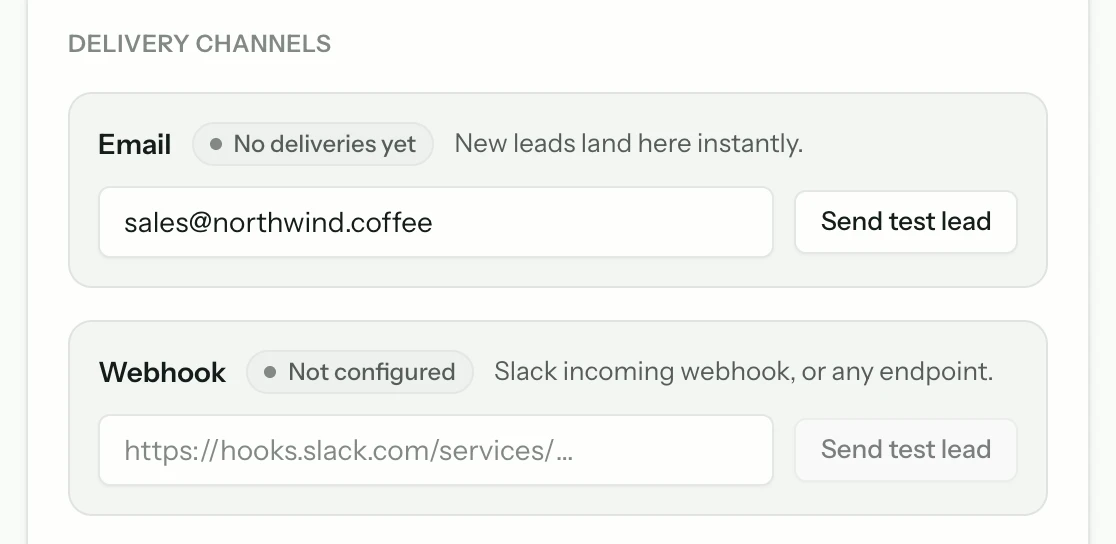
In the bot's integration settings, connect Slack and authorise the workspace. The connection is per bot, so agencies running several clients can route each client's escalations to a different workspace or channel.
Choose the channel deliberately
A dedicated channel beats a busy general one, because notifications in a noisy channel are scrolled past. Whoever owns response time should be in it, and it should be quiet enough that a message in it means something.
Decide what gets sent
Escalations and captured leads are the two that matter. Sending every conversation turns the channel into noise within a day and guarantees the important ones are missed.
Escalations
Someone needs a person — this is the time-sensitive one.
Captured leads
High intent, and worth a fast reply.
Check the message contains the question
A notification saying 'new escalation' forces someone to go and look. One containing the actual question lets whoever sees it decide immediately whether it is theirs, which is the difference between a useful alert and an interruption.
Common questions
- Can different bots post to different channels?
- Yes. The integration is per bot, which is what makes it usable for agencies and for teams running separate bots per department.
- Will it flood our channel?
- Only if you send everything. Restrict it to escalations and captured leads and the volume matches the number of moments that genuinely need a person.
- Can we reply from Slack?
- The notification carries the conversation so the team can see the context and pick up through your normal reply route. Treat it as the alerting surface rather than the reply surface.
From the blog
All posts- BuildingWhat to index first when your site is a messStart with the pages that already resolve real support questions. Noise, archives, and unfinished docs can wait — indexing them first makes answers worse.Read
- BuildingLaunch checklist: five questions before you go liveBefore launch: confirm sources, citations, refusals, human handoff, and cost controls. If any fail, the widget is not ready — the model is not the issue.Read
- BuildingKnowledge ops for a two-person teamA support bot on a tiny team survives on refusal lists, ten-minute recrawls, and docs edits tied to real tickets — not on a KM platform nobody maintains.Read




Answer honestly. Capture the rest.
Point Matter Chat at your site and see what it can — and can't — answer. It's honest about both.
No credit card. 2 minute setup.
Every answer cites the source it came from. When there isn't one, it says so — and hands the visitor to you.


Installs on the tools you already run.